Service and maintenance of machine
Verti-Mix SF / Verti-Mix Double SF Version 06.12
239
10.5.7.6 Clean ventilation filter
1. Use the ladder to safely reach the
maintenance area at the hydraulic oil tank.
2. Completely open the service cover
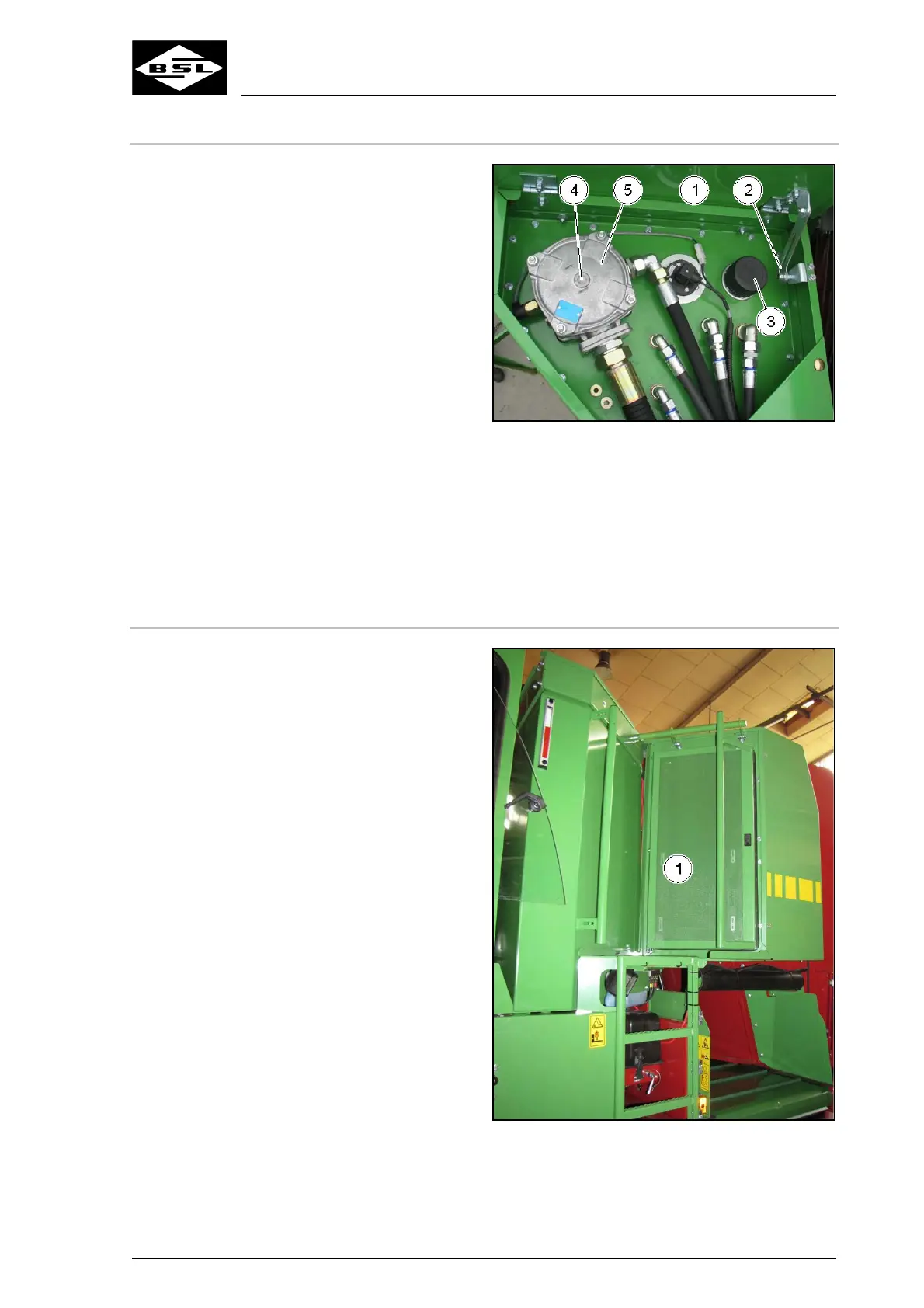
(Fig. 218/1) such that the locking
mechanism (Fig. 218/2) engages and
secures the service cover against
accidental slamming.
3. Remove the ventilation filter (3) from the
hydraulic oil filler neck.
4. Release the safety chain.
5. Use cleaning spray to clean the ventilation
filter.
6. Use compressed air to blow out the
ventilation filter.
7. Fix the ventilation filter again at the safety
chain.
8. Carefully screw the ventilation filter on
again.
9. Unlock and close the service cover.
Fig. 221
10.5.7.7 Check radiator fan
1. Park the machine on even ground.
2. Let the diesel engine run.
3. Switch the parking brake on.
4. Check with your flat hand whether an air
flow is perceptible below the closed radiator
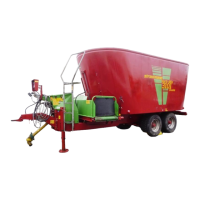
grille door (1).
Beware that the radiator fan starts in
dependence of the temperature! The first
fan starts at 35°C, the second fan at 50°C.
5. Contact an authorized workshop in case of
a malfunction or a rattling noise of the
radiator fan.
Fig. 222



 To Next Page