Design and function
Verti-Mix SF / Verti-Mix Double SF Version 06.12
93
Press the "Change entry data" (5) or "Prepare
new recipe" (6) key to make the "Recipe" display
appear. The "Recipe" display is split into several
tabs containing various input fields.
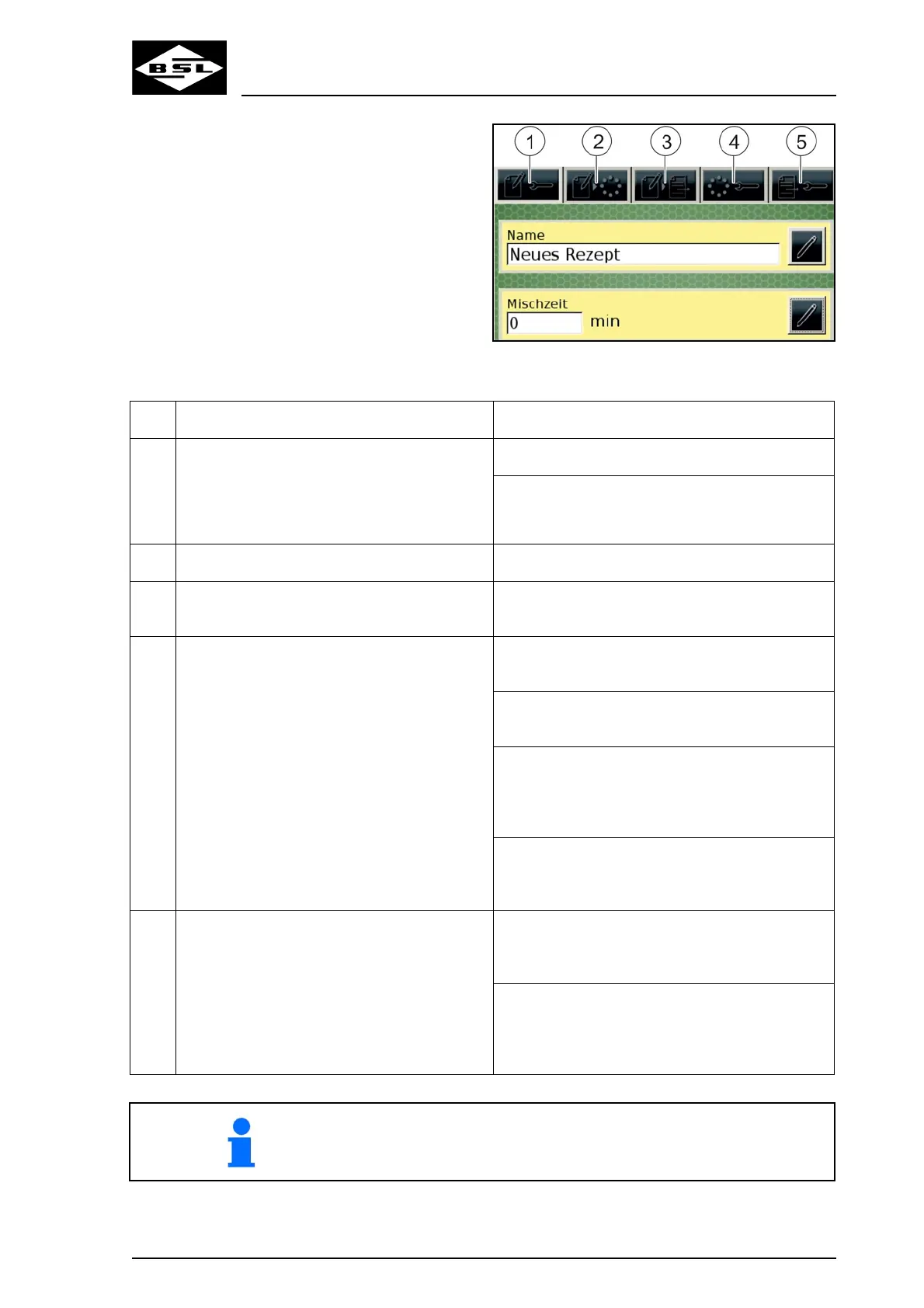
Fig. 38
Item Tab Input field
1 Basic settings Name
Mixing time; defines the duration of the mixing
procedure before the mixture can be discharged
2 Selection of components Shows a list of the available components
3 Selection of discharge stations Shows a list of the available discharge stations
and the associated numbers of animals
4 Component parameters Recipe position; defines at which position in the
recipe the selected component is added
Quantity per animal; required for calculation of
the overall quantity to be charged
Alarm value; defines the percentage value at
which a visual signal appears indicating the
approach to the nominal value (value until the
nominal value is reached)
Automatic charging; activates / deactivates the
automatic mode for the charging procedure of
the component
5 Discharging parameters Recipe position; defines at which position the
fodder is discharged at the selected discharge
station
Alarm value; defines the percentage value at
which a visual signal appears indicating the
approach to the nominal value (value until the
nominal value is reached)
It is obligatory to fill in all fields referring to a recipe in order to be able
to use the recipe! If a recipe is not listed in the recipes' list, at least
one entry is missing.



 To Next Page