STRYKER MEDICAL/BERTEC MÉDICAL 4 - 3
PARTS REPLACEMENT
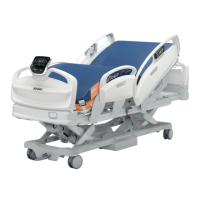
Sleeping Surface Sections
1. Adjust sleeping surface to horizontal position and remove protective
cover, if need be, from under section to be replaced.
2. On section to be replaced, unbolt lever (A) from ACME nut fork (B).
Keep nylon washers.
3. Remove bolts connecting section to be replaced to the other sec-
tions of the sleeping surface.
4. To detach the central section, remove the 4 hexagon head bolts
holding section to bed frame.
5. Remove section from sleeping surface. Replace with spare section.
Replace and tighten head bolts serving as a hinge (3). Replace and
tighten central section bolts (4).
6. Replace nylon washers and bolt section lever back onto ACME nut
fork (2). Replace protective cover.
1
3
4
5


 To Next Page
 Loading...