81307063I
EN
5
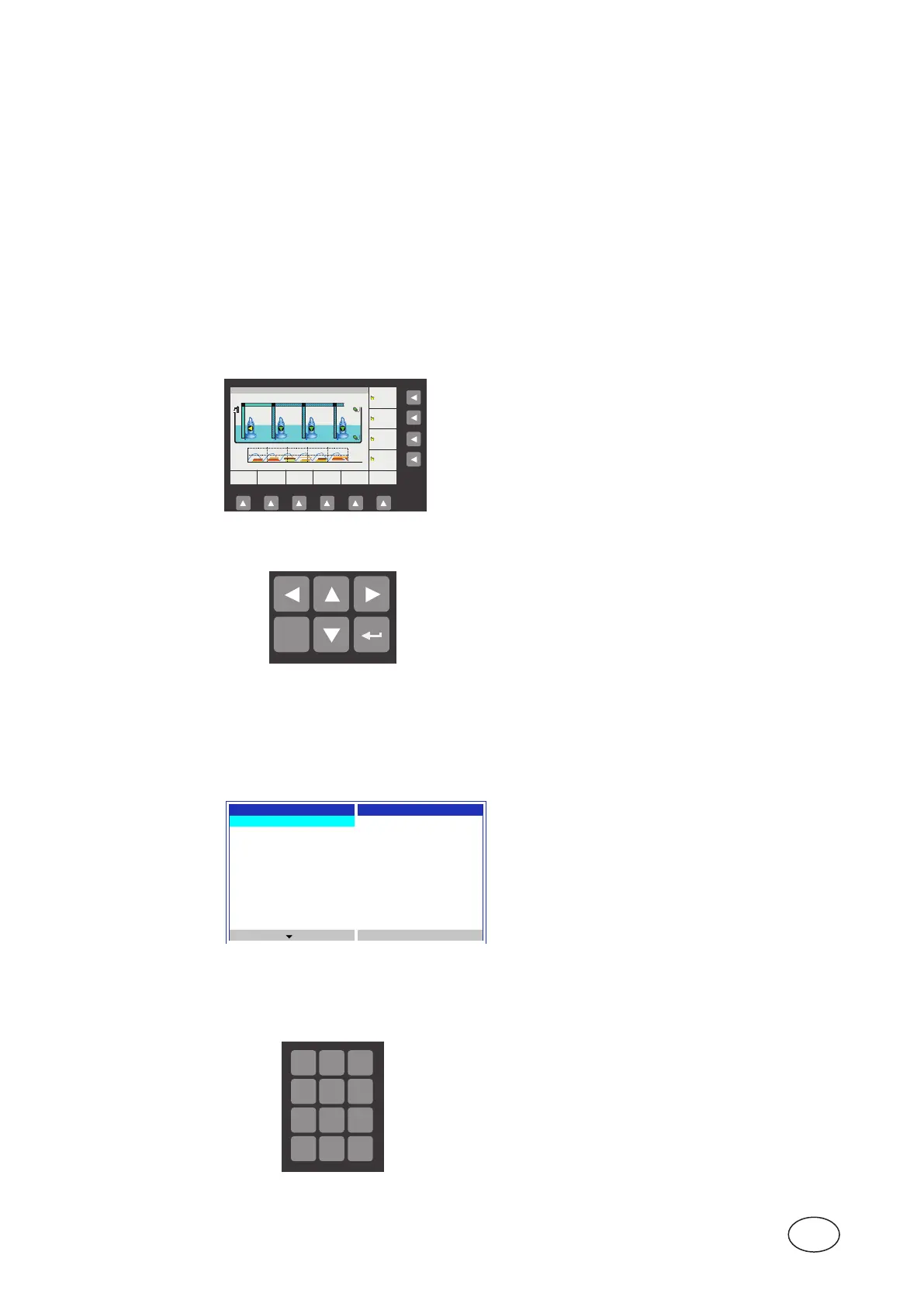
Thedefault(top-level)viewofthedisplaydynamicallyshowstheoperatingstatusofthepumpsandconditions
in the pit. Figure 1-2showsthesymbolsandexplainstheirmeanings.Theunitwillalwaysreverttothisview
after10minutesofinactivityinanyotherview(suchasshowingmenus).
WhenPC441issettouselessthan4pumps,theviewadaptstoshowactualnumberofpumps.
Power and alarm ThetwoleftmostsymbolsontheCA511panelareforpowerandalarmindication:
indicator
• Buttons at bottom gives direct access to the most common
menus.
• Bottomrightmost“Ackn.”.Buttonwillacknowledgethemostcur-
rentalarmdisplayedonstatusrowattopofdisplay.
• Right buttons will start or stop the pump. (Toggle actual state.)
Bykeepingbuttonpressed,forcedpumprunbelowstoplevelis
possible.
Right-hand buttons Thebuttonstothelowerrightofthedisplayhavethefollowingfunctions:
• To leave the overview image of the pump pit and go into the
menus,presseithertheUp or Down arrow button.
• Yougo“into”amenuitembypressingeithertheRight/Forward
button or the Enter button.
• Youconrm(orperform/execute)anoperationwiththeEnter
button ( ).
• Toexitthecurrentoperation,orleavethemenusandgobackto
overviewimageofthepumppit,presstheEscape button.
Main menu Figure1-3showstheMainmenu,whichyoureachfromtheoverviewimagebypressingeithertheUp or Down
arroworshortcutkeyMainbelowdisplay:
Main Menu Manual Control
Manual Control Pump 1
Alarm List Pump 2
Show Status Pump 3
Settings Pump 4
Select Language Mixer
Drain Pump
Cleaner
Remote Blocking
Esc
Figure 1-3 Thetop-levelmenuofthePC441graphicaldisplay.
Howtoselectlanguageandmakeallsettings(menuitemsSelect language and Settings) are described in
chapter 5 Settings.
How to enter values Press Enter to enable editing of a value.
and strings
0 A
1.30 m
0.50 m
1.50 m
0.55 m
1.70 m
0.60 m
1.90 m
0.65 m
352.5 A 353.8 A 354.1 A
1.55 m
1827 l/s
MAIN STATUS SETTING TREND ALARM ACKN.
PUMP 4
PUMP 3
PUMP 2
PUMP 1
2013.08.21 05:56:19 Low level
980.3 l/s
m
P3 P4
P1 P2
3
0
07:25:58 07:28:10 07:30:26
0.15 kWh/m3
Esc
8
tuv
7
pqrs
9
wxyz
0
*
#
5
jkl
4
ghi
6
mno
2
abc
1
,.
3
def
Use the Left/Right buttons to choose the insertion point.
Use the Up/Down buttons to increase/decrease a value or letter.
Values and strings can also be altered through the alphanumeric
keyboard.
Anasterisk(*)gives=adot(.).
Finishtheeditingbypressingenter.
8
tuv
7
pqrs
9
wxyz
0
*
#
5
jkl
4
ghi
6
mno
2
abc
1
,.
3
def
• GreenlightisthepowerLED.
• Theredalarmindicatorasheswheneverthereisanunacknowledgedalarm,andthedisplaytells
youthetypeofthealarm.Whenthealarmisacknowledged,thelightturnssteadyred,andremains
lituntiltherearenoactivealarms,thisfunctionsthesameasthePC441alarmindicatorLED.
Direct functions, Thebuttonsatthebottomandtotherightofthedisplayhavethefollowingfunctions:
bottom and right
displays



 To Next Page