81307063I
EN
6
Passcodes Therearethreesecuritylevels:
1. Dailyoperations,suchasacknowledginganalarmorstoppingapump,donotrequireanypasscodeor
authorization.
2. Operationalsettings,suchassettingthestartorstoplevelsforthepump,requireapasscodeatthelevelof
Operator;
3. Congurationsettingsthataectthebasicfunctionalityoraccess,suchasthetypeoflevelsensor,require
a passcode at the level of System.
Thefactorydefaultpasscodesare1and2respectively,butthecodescanbechangedunderthemenuitem
Settings > System.WheneverapasscodeforOperatorisrequested,youmaysupplyeitherthepasscodefor
OperatororSystem.
Personal alarm,
and how to reset it Whenthepumpstationismanned,apersonalalarmcanbeissuedifthemaintenancepersonhasn’tshown
activitywithinacertainperiodoftime.Fordetailsaboutsettingsrelatedtothis,seesection5.3Systemset-
tings (assigning Alarm type, Alarm delay and Max time to reset),section 5.12 Settings for digital inputs (as-
signing Sta in stationtoaDigitalin),andsection 5.13 Settings for digital outputs (assigning Personal alarm
alert to a digital output).
AfterthespeciedMax time to reset,theassignedoutputisactivatedsoavisualoraudiosignalcanalert
the maintenance person that the alarm timer must be reset. If the alarm timer is not reset within Alarm delay,a
personal alarm is sent out.
Toresetthetimer,justpushanybuttononthecontrolpanel.
1.2.1 Status view
One of the useful functions in PC 441 is Status view. In the status view shows Pump running time, Number of
starts, Capacity and Energy consumption.InthosecasesthereCA441,CA442andCA443areinthesystem,
youwillbeabletoseeTemperaturesinthedierentbearings,monitoringtheVibrations,Power absorbed and
Motor current.YouwillalsoseethepowersupplyvoltageL1 – L3iftheisaCA443inthesystem.Allthepump
alarms will show up here in the graphic.
Pump Running Time
Number of Pump Starts
Pump Capacity
Energy Consumption
Temp. Upper Bearing
Temp. Stator
Temp. Lower Bearing
Vibrations
Power absorbed
Motor Current
L1-2 406 V L2-3 406 V
588 h
2940
609 l/s
115248 kWh
68 ˚C
79 ˚C
70 ˚C
2.7 mm/s
196 kW
353.2 A
L3-1 401 V
Total
P 1
MAIN STATUS SETTING TREND ALARM ACKN.
PUMP 4
PUMP 3
PUMP 2
PUMP 1
2011.06.23 05:56:19 NO UNACK ALARMS
Figure 1-4 Status view
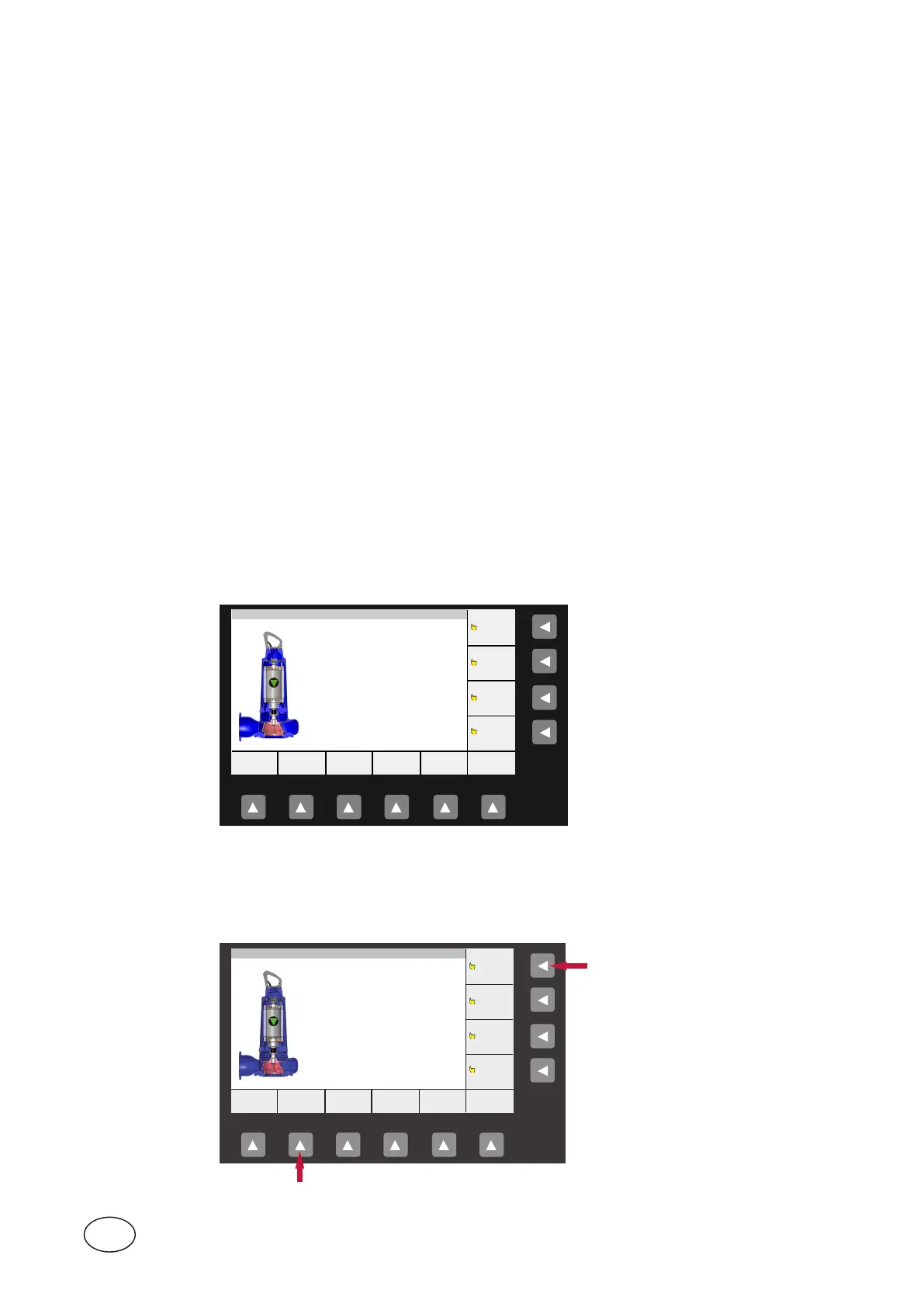
1.2.2 How to access the status view
Statusviewiseasytobeaccessedbypushingthe“Status”belowthedisplay,andthen“Pump 1”–“Pump 4”
ontherightsideofthedisplay.Seepicturebelow.
Pump Running Time
Number of Pump Starts
Pump Capacity
Energy Consumption
Temp. Upper Bearing
Temp. Stator
Temp. Lower Bearing
Vibrations
Power absorbed
Motor Current
L1-2 406 V L2-3 406 V
588 h
2940
609 l/s
115248 kWh
68 ˚C
79 ˚C
70 ˚C
2.7 mm/s
196 kW
353.2 A
L3-1 401 V
Total
P 1
MAIN STATUS SETTING TREND ALARM ACKN.
PUMP 4
PUMP 3
PUMP 2
PUMP 1
2011.06.23 05:56:19 NO UNACK ALARMS
Figure 1-5 How to access Status view



 To Next Page