81307063I
EN
7
It’spossibletousetheleftandrightarrowkeysatthenumeralkey
board to step to the other pumps.
Use up and down arrowstostepbetweendays.
Upto7daysbackcanbedisplayed.
LeavetheStatusviewbyESC.
1.2.3 Pump alarms under status view
If the Field bus modules CA 441 and CA 442areattachedtothePC441andpumpalarmsappears,when
under Status viewyouwillbeabletoseeanindicationwherethefaultisphysicallylocatedinthepump.
Motor protector Pump
or other general Pump
failures from PC 441
DI 2 Electric Area
DI 3 Motor Housing
T3 Hi Temp Lo. Bearing
T1 Hi Temp Stator /
T4 Hi Temp Stator
(T1 & T4 share the same
alarm numbers)
Stator temperature L2 - L3 with
additional CA 442
T2 Hi Temp Up. Bearing
DI 1 Oil Chamber /
or Leakage Pump
from PC 441
Figure 1-6 Pump sensor indications in Status view
Esc
8
tuv
7
pqrs
9
wxyz
0
*
#
5
jkl
4
ghi
6
mno
2
abc
1
,.
3
def
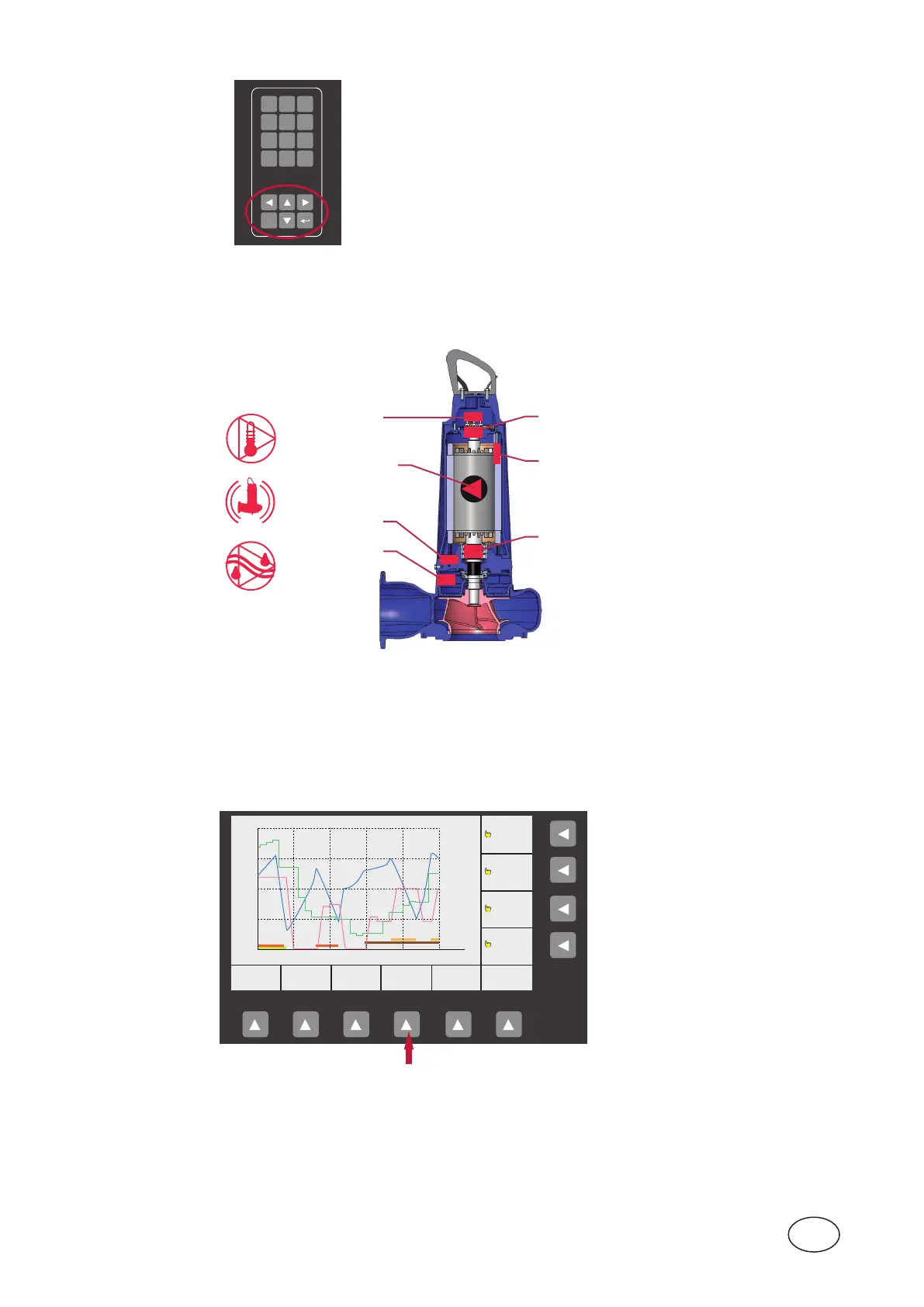
How to access Trend cur ve
1.2.4 Trend curve
Another useful function in PC 441 is Trend cur ve.Hereyoucangetanoverviewofpitlevel,inowandoutow
oranyotherparameteryouchooseovertime.Fourdierenttrendcurvescanbedisplayedatthesametime.
Thereisalsoapossibilitytoadjusttheintervalsamplingforthecurves.Defaultsettingis1samplepersecond.
MAIN STATUS SETTING TREND ALARM ACKN.
PUMP 4
PUMP 3
PUMP 2
PUMP 1
P3 P4
P1 P2
m
l/s
l/s
2
300
400
10
0
0
0
0
12:42:24 12:44:24 12:46:24
Figure 1-7 Trend curve



 To Next Page