2-4
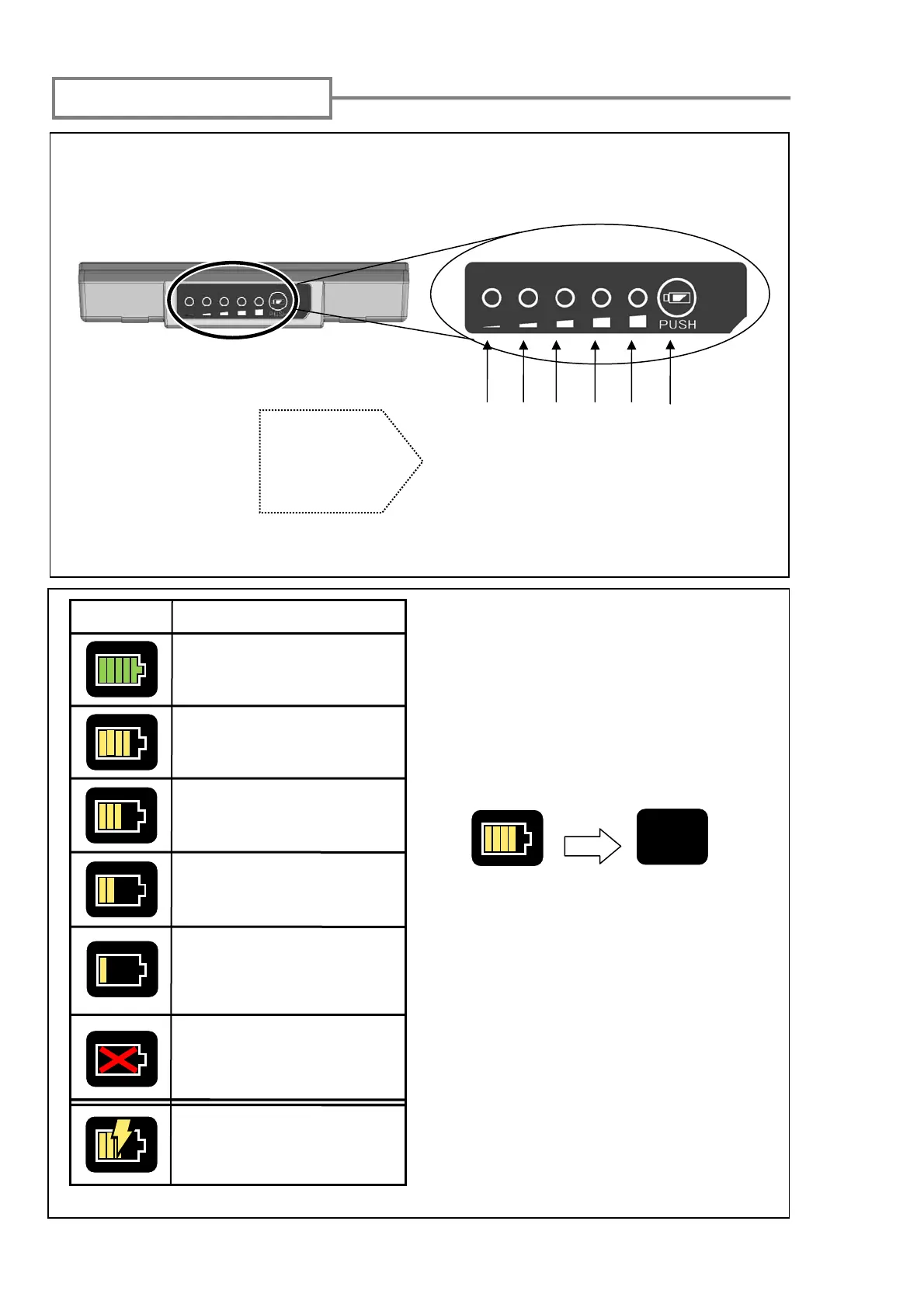
Battery status
indication
Press the battery check button. The LED will light up for a few seconds to indicate
the battery status in one of four levels.
Over 80%
61~80%
41~60%
21~40%
1~20%
No light: 0%
The battery level is also displayed
as a battery level indicator on the
monitor.
Splice and heat cycles possible
with remaining battery level is
indicated when you touch the
indicator.
*The frequency is estimated by
the battery level. It changes
according to the operational
environment and condition.
(No guaranteed value)
*Be sure to charge the battery
before use when the battery
level is low.
*There is no battery indicator
when AC adapter is in use.
Battery level check
No battery. Please charge
the battery immediately.
41 to 60%
Indicator
Meaning
Battery remains enough.
Over 80%
61 to 80%
21 to 40%
Battery remains little.
1 to 20%
Charging. Icon changes
depending on the battery
level.
65
Battery check button
TOUCH



 To Next Page