5-1
5. Other convenient functions
The TYPE-71C is provided with various functions. Set up the functions as
necessar
.
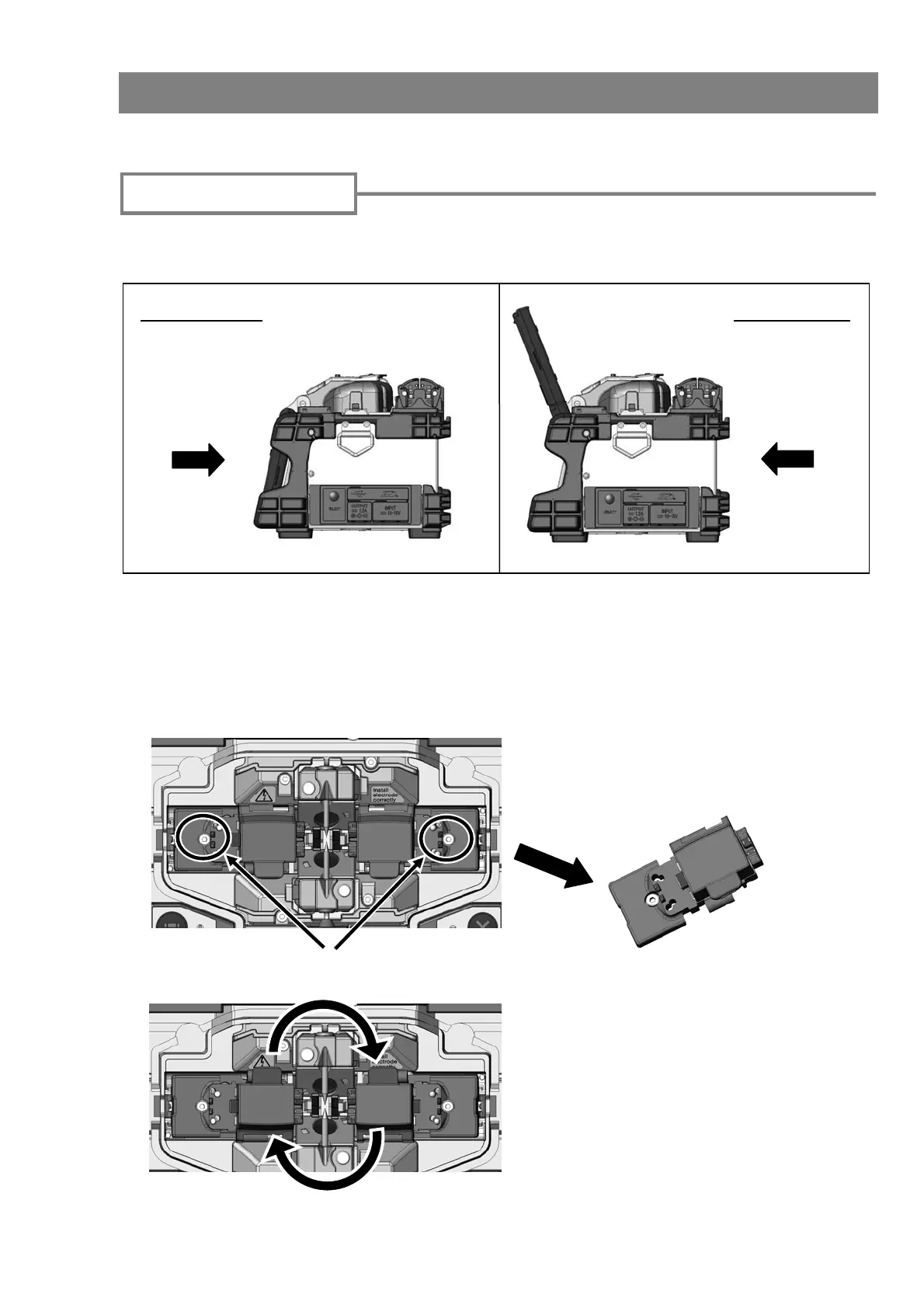
The back monitor type is convenient when you would like to place the fiber to be
spliced for installation closer to you.
Front monitor Back monitor
The monitor display reverses automatically when the monitor is moved to the position of
the back monitor type. (Refer to the page 4-11)
Coating clamp fixation screw
1. Loosen the right and left coating
clamp fixation screw, and detach the
coating clamp.
2. After replacing right and left coating
clamp, tighten the coating clamp
fixation screw. The lid of the coating
clamp opens in the same direction as
the front monitor type from the
operator's position.
Coating clamp
Operating
direction
Operating
direction
When using the splicer by the back monitor type, it is easy to work if the right and left of
the coating clamp is replaced according to the following procedures.
Back monitor type



 To Next Page