4-13
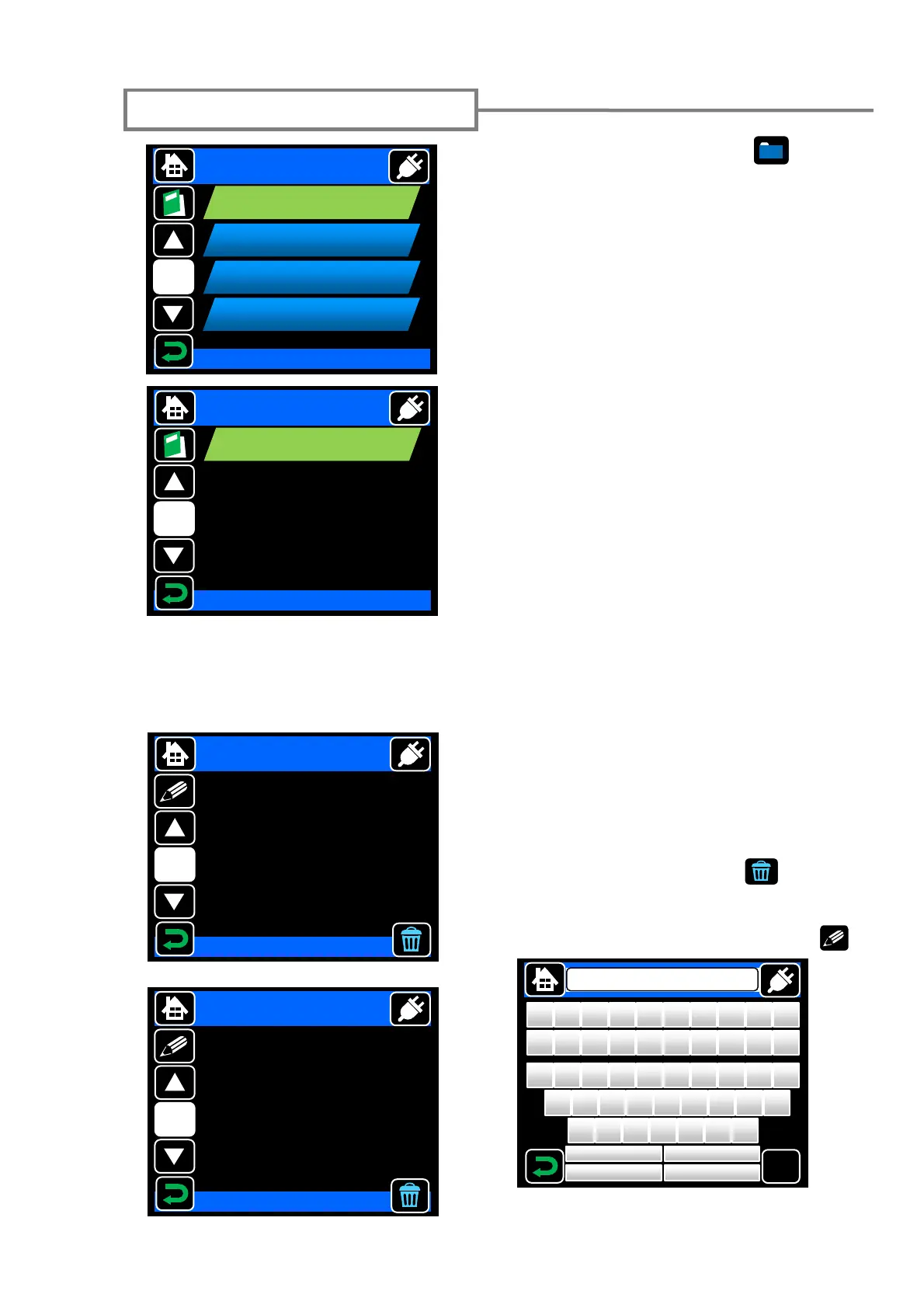
Splice data storage function
Touch the “Splice Data” icon ( ) on the
menu screen to go to DATA screen. Please set
"Memory" item ON before splicing if you want
to save the splice data.
To display stored splice data, select “Display”.
Enter the memory location you would like to
view.
When "Copy" item is selected, the saved data is
copied onto the SD card in CSV format.
In "Histogram" item, the histogram of estimated
loss and angle can be displayed based on the
data that has been recorded.
Description of data
Cut (L/R): Inspected cleave angle of the (L/R)
fiber.
Offset: Inspected offset of the core axis (or
diameter axis).
Deform: Inspected tilt angle of the core axis
caused by deformation.
Ect (L/R): Inspected core eccentricity of the
(L/R) fiber.
Core Offset: Inspected core step status of the
offset caused by deformation.
Arc Count: Arc count since the replacement of
the electrodes.
Select Item
Splice Data
1/2
Memory
OFF
SMF Quick
Display
SMF Quick
Output
[0000-0000]
SMF Quick
Clear
Previous
[0000]
DATA
Select Item
Splice Data
2/2
Histogram
LOSS
Splice Data
Display
1/2
Cut(L) 0.4 deg
Cut(R) 0.5 deg
Offset 0.1 um
Deform 0.3 deg
Ect(L) 0.1 um
Ect(R) 0.1 um
Core Offset 0.1 um
Splice Data
Display
2/2
Arc Count 463 Cnt
Estimation Loss 0.010 dB
Align Method Core
Fiber SMF
Date 01/01/2011
Time 00:00
Memo Standard SM
Add the memo by touching “MEMO” ( ).
When the dust box icon ( ) is
touched, the referred data is deleted.
OK
Standard SM
Z
X
C
V
B
N
M
A
S
D
F
G
H J K
L
Q
W
E
R
T
Y
U
I
O
P
!
@
# $ %
^
&
*
( )
< > ? :
“
{ } _
+
Shift
Default
BS
Cancel
[0100]



 To Next Page