4-15
Help function
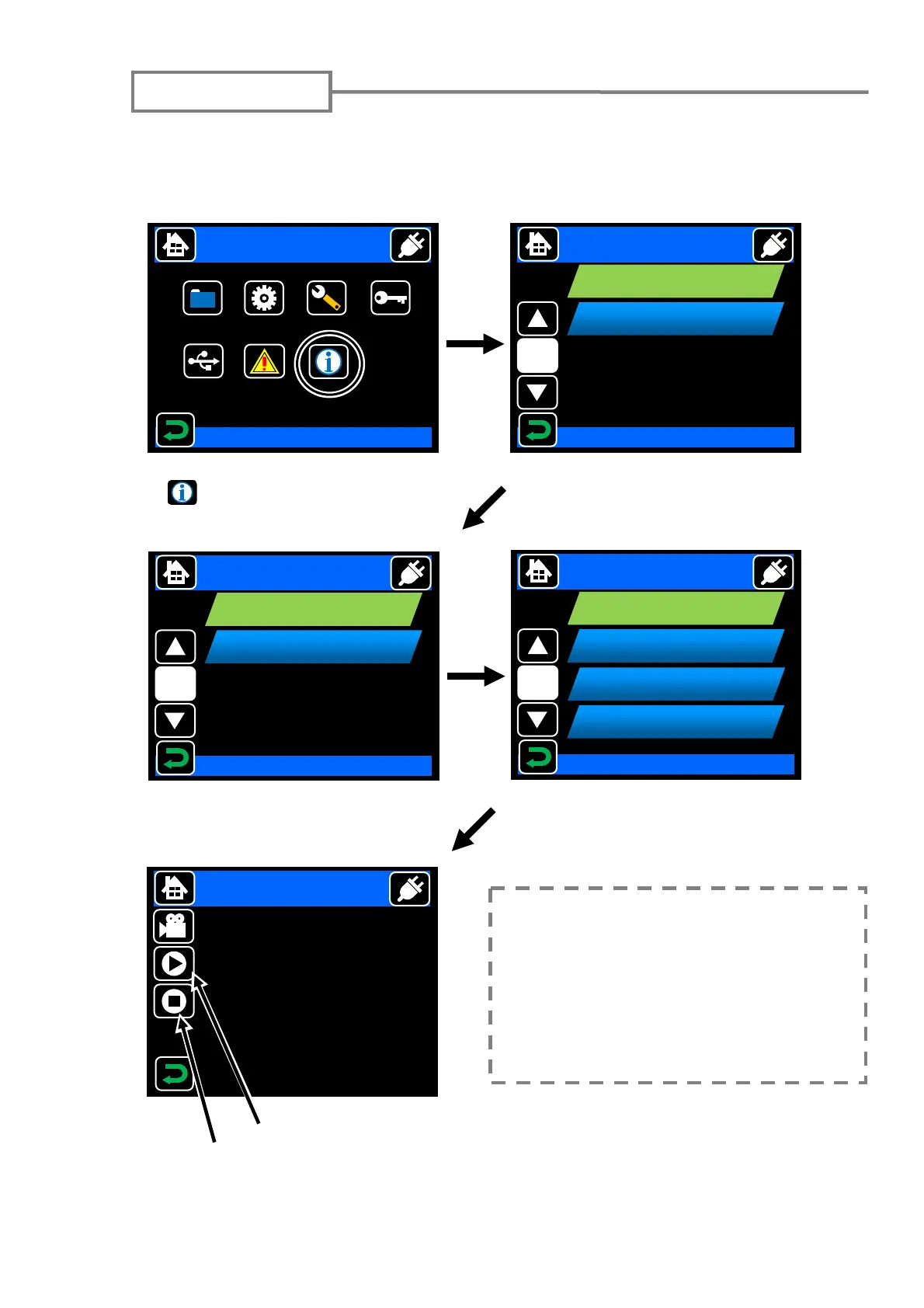
TYPE-71C has a function to display the user training video such as the method of the
preprocessing of the fiber, the daily checkup, and the cleaning in animation. It is
possible to run the video, to stop temporarily, and to confirm the work procedure
details.
Touch the “Information” icon
( ) in menu screen to go to
movie screen.
Select “View” item.
Select Item
Menu
Splice
Data
Maintenance
Security
Function
USB
Login
Information
2011/01/01 00:00
DATA
Select Item
Select “Help Video” item.
Select the movie.
Help Video
Stripping the fiber coating
Stop
Start / stop temporarily
To be updated the help video, please
access to the URL in page 4-14.
You can download the files of help
video via internet to SD card. Then
insert that SD card to the SD card slot
and select “Update” item described in
this page.
Information
1/1
Help Video
SMF Quick
Information
Select Item
Help Video
1/1
View
SMF Quick
Update
Select Item
Help Video
1/3
Stripping the fiber coating
SMF Quick
Cleaning the bare fiber
Select Movie
View
Cleaving the fiber
Inserting fibers into the splicer



 To Next Page