2-16
1/3
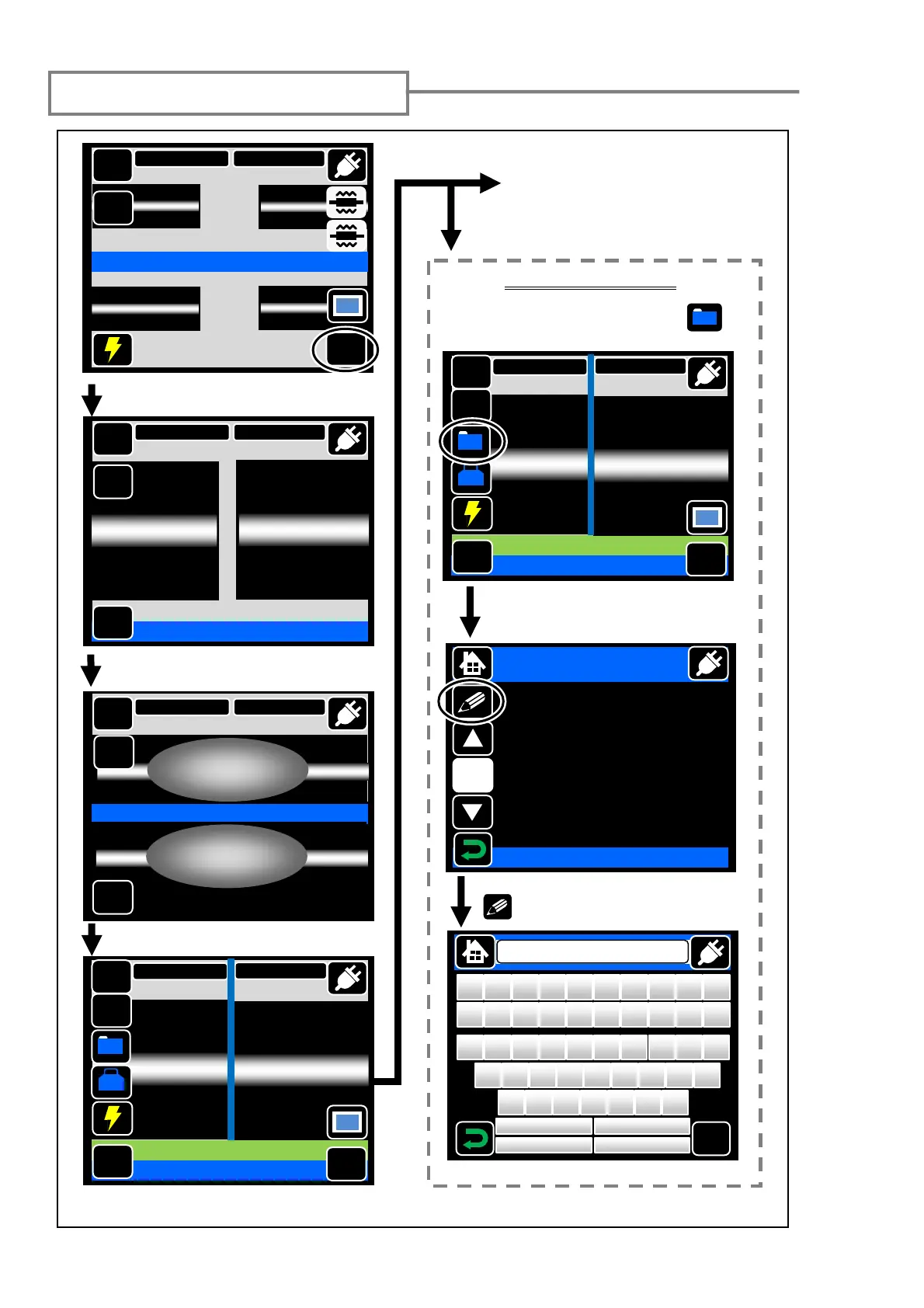
Starting the automatic splice
Inspection of fiber end face & dust
Estimated loss is displayed.
See the next page if you skip
the checking of splice data
and go on to the next step.
Checking splice data
• After a splice, touch the “Data” ( ).
Arc is
enerated.
MENU
Prefusion check
SM G652 Std.
60mm 0.25
Reset
Y
Touch the “Start”.
Confirm splice data.
DATA
Add the memo by touching “MEMO”
( ).
DATA
Display
1/2
Cut(L) 0.4 deg
Offset 0.1 um
Cut(R) 0.5 deg
Deform 0.3 deg
Ect(L) 0.1 um
Ect(R) 0.1 um
Core Offset 0.1 um
OK
Standard SM
Z
X
C
V
B
N
M
A
S
D
F
G
H
J
K
L
Q W
E
R
T
Y
U
I O
P
!
@
# $ %
^
&
*
( )
<
>
?
:
“
{
}
_
+
Shift
Default
BS
Cancel
MENU
SM G652 Std.
60mm 0.25
Start
Ready
X/Y
DISP
MENU
SM G652 Std.
60mm 0.25
GO
Tool
Reset
DATA
Tap Go icon
Estimation Loss 0.01dB
DISP
X/Y
Add
MENU
SM G652 Std.
60mm 0.25
GO
Tool
Reset
DATA
Tap Go icon
Estimation Loss 0.01dB
DISP
X/Y
Add
MENU
SM G652 Std.
60mm 0.25
X/Y
Arc Count 0001
Reset



 To Next Page