3-6
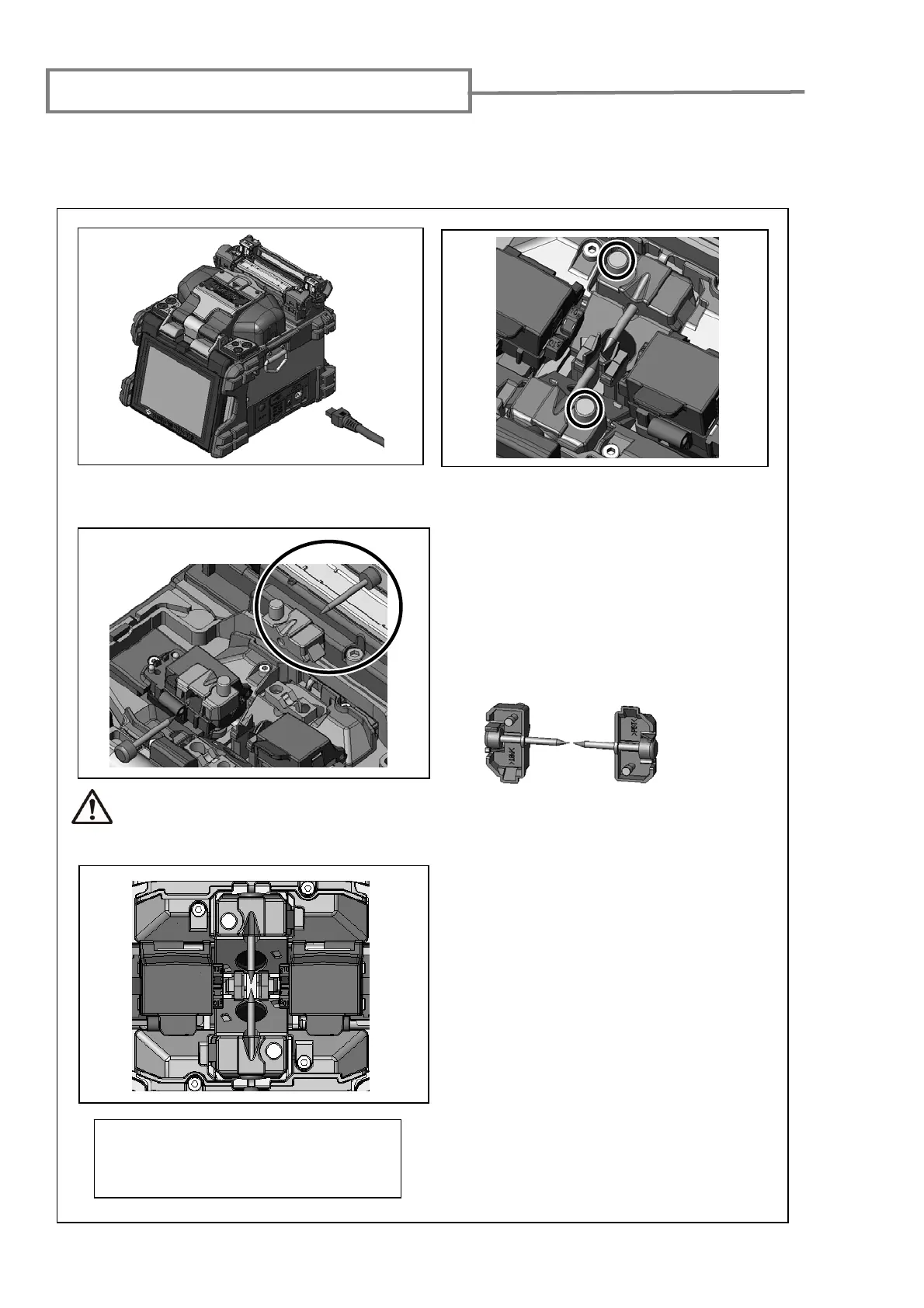
Electrode replacement procedures
2: Using your fingers, loosen the
thumbscrews.
3: Lift the electrode cover plate as shown in
the left figure.
4: Remove the old electrode.
:In
ll
n
w
l
r
.
Caution
1: Turn off the splicer and unplug the power
cord.
Use only Sumitomo genuine
electrodes.
6: Tighten the thumbscrew while pressing
the electrode below at each electrode
cover plate.
7: Repeat step 2 to 5 for the other
electrode. Always replace both
electrodes at a time.
8: Plug the power cord into the power
module and turn on the power to
condition the electrodes. (Refer to page
4-11.) After conditioning the electrodes,
the Arc count is automatically reset.
Please exchange the electrode to maintain the performance of TYPE-71C at about
3000 discharges. The point of the electrode is very sharp shape. Please take care
enough when handling it.
When handling the electrodes, avoid
touching the electrode tips with
anything.
[Back view of electrode and cover plate]



 To Next Page