4-12
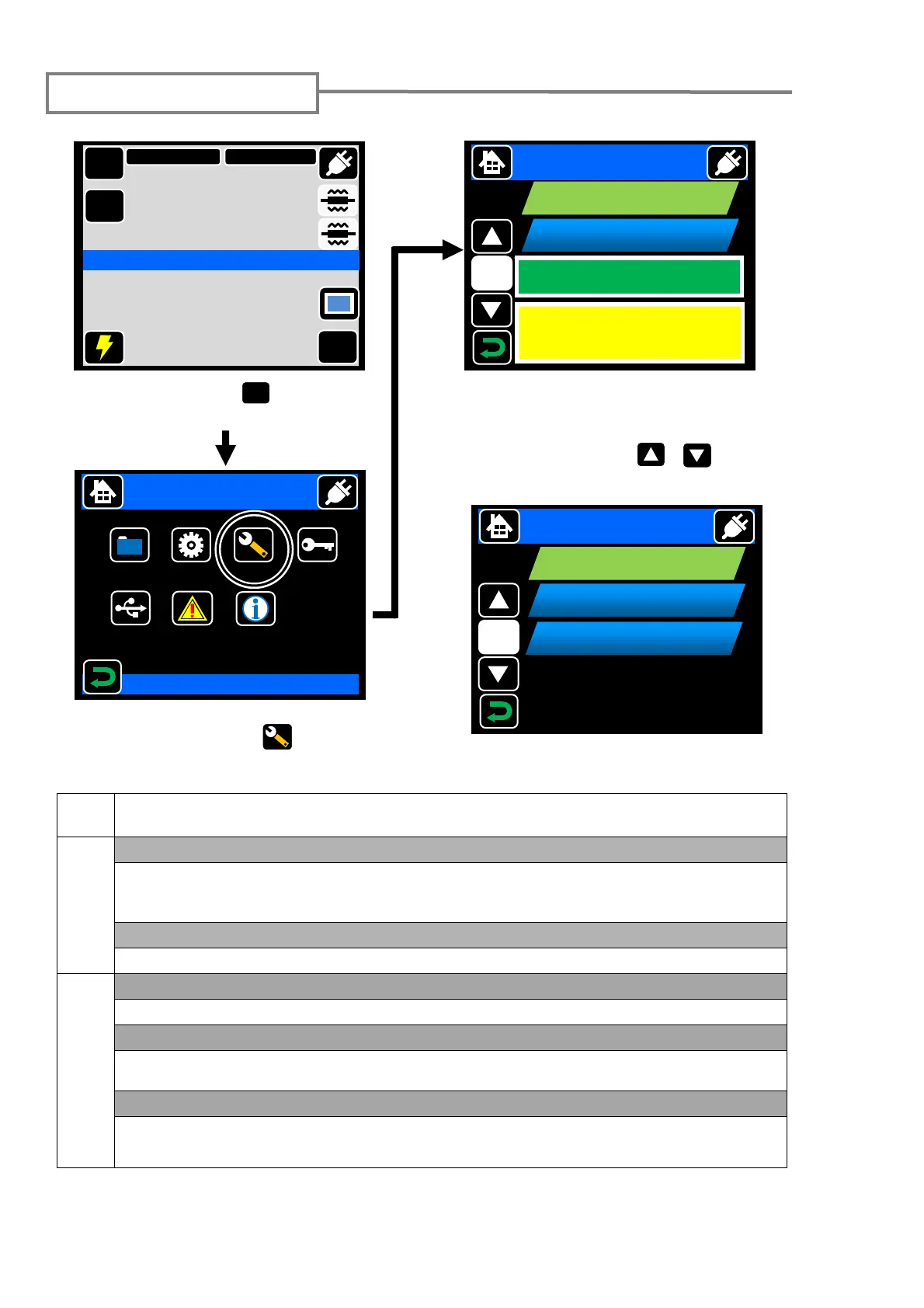
Touch “MENU” ( ) to go to
Menu screen.
Maintenance settings
Page
Maintenance
1/2
<Conditioning Arc>
After the electrodes are replaced, this function is used to condition a new electrode.
The number of conditioning arc is preset. Arc Count is automatically reset after
conditioning arc is performed.
<Reset Arc Count>
Arc Count can be reset, while All Count cannot.
2/2
<Restore Data>
All parameters except Arc Count and All Count are returned to the factory setting.
<Self Inspection>
The circuit board, optical unit, motors and heat shrink ovens are automatically
inspected.
<Touch Calibration>
Perform touch calibration when icons and items could not be selected correctly with
touching operation.
1/2
Maintenance
Reset Arc Count
Bright
Conditioning Arc
rc
Count
All Count
0100
00100
Turn
ower off and
Take
ower unit out of s
licer
When electrodes changed
MENU
In the menu screen, touch
“Maintenance” icon ( ) to go to
Maintenance screen.
Touch the item once. The icon will
change its color. Then touch it again
to determine selection.
Touch the “move” ( , ) to go
next page.
2/2
Maintenance
Restore Data
Self Inspection
MENU
SM G652 Std.
60mm 0.25
Start
Ready
X/Y
DISP
Menu
Splice
Data
Maintenance
Security
Function
USB
Login
2011/01/01 00:00
DATA
Select Item
Information
Touch Calibration



 To Next Page