2-8
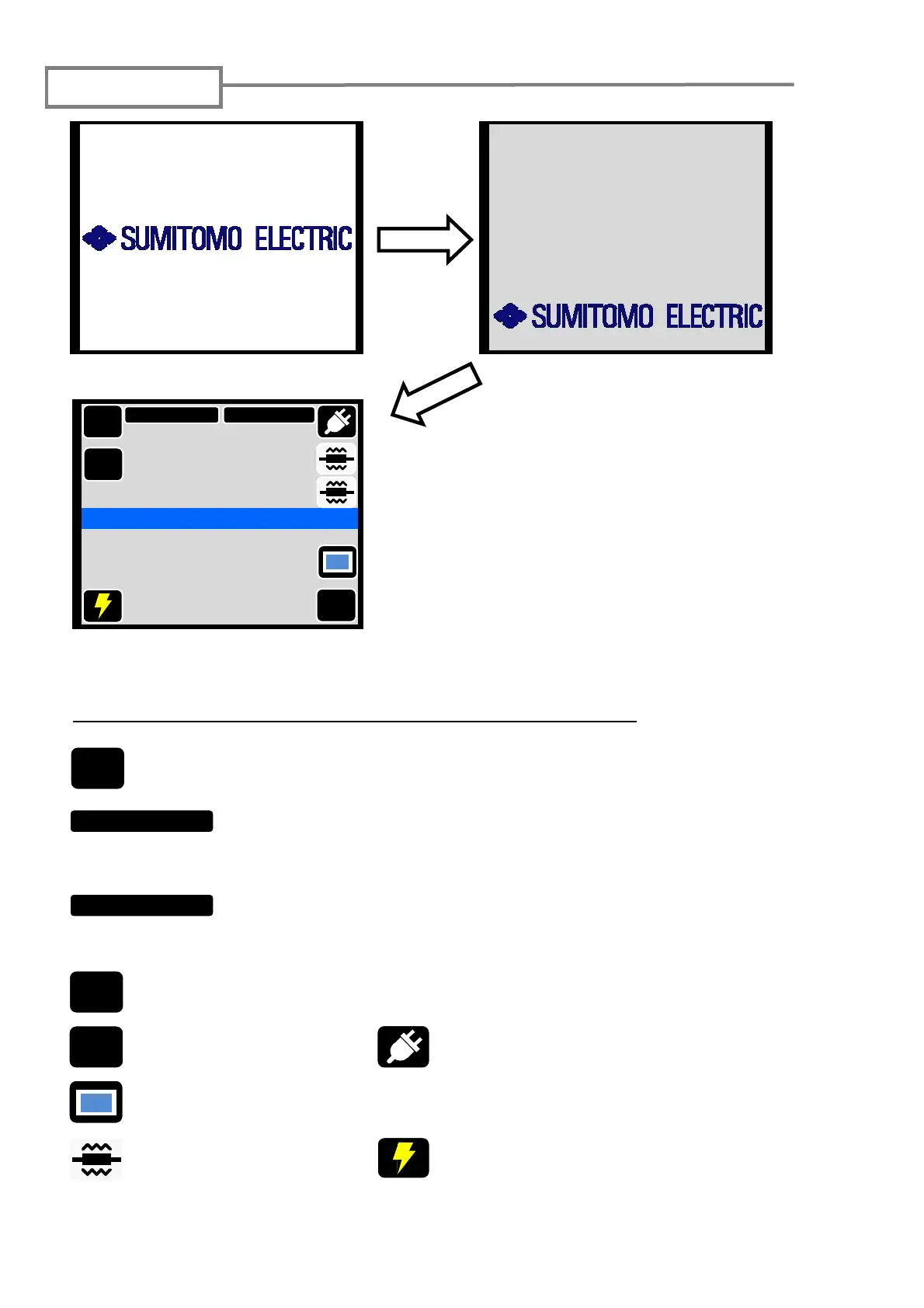
Initial screen
Initialization is complete.
→ Ready screen
Startup screen
MENU
: Display the main menu screen where various functions are selected.
SM G652 Std.
:Showing splice program that is selected. You can go to splice
program selection screen by touching it. Please refer to page 4-1
for the setting method of the splice program.
60mm 0.25
:Showing heater program that is selected. You can go to heater
program selection screen by touching it. Please refer to page 4-2
for the setting method of the heater program.
X/Y
:Showing the observation screen that is displayed. The screen changes by
every touch as X/Y⇒ X/Y ⇒ X ⇒ Y.
Start
:Start splice
DISP
:Display/Non-display icons
:Arc test
:Start and cancel heating
cycle
The function of each icon in the ready screen is as follows.
Each motor of the splicer is initialized
after turning on the power supply, and
the ready screen is displayed after a
few seconds.
TYPE-71C has the touch screen
function that enables to operate by
the icons on the screen.
:The kind of the power supply (AC power
supply) is shown. When the battery works,
the battery indicator is displayed. (→ page
2-4)
Initialize screen
MENU
SM G652 Std.
60mm 0.25
Start
Ready
X/Y
DISP
TYPE-71C
TYPE-71C
Version 1.xx
INITIALIZING
-
S/N : XXXXXXX



 To Next Page