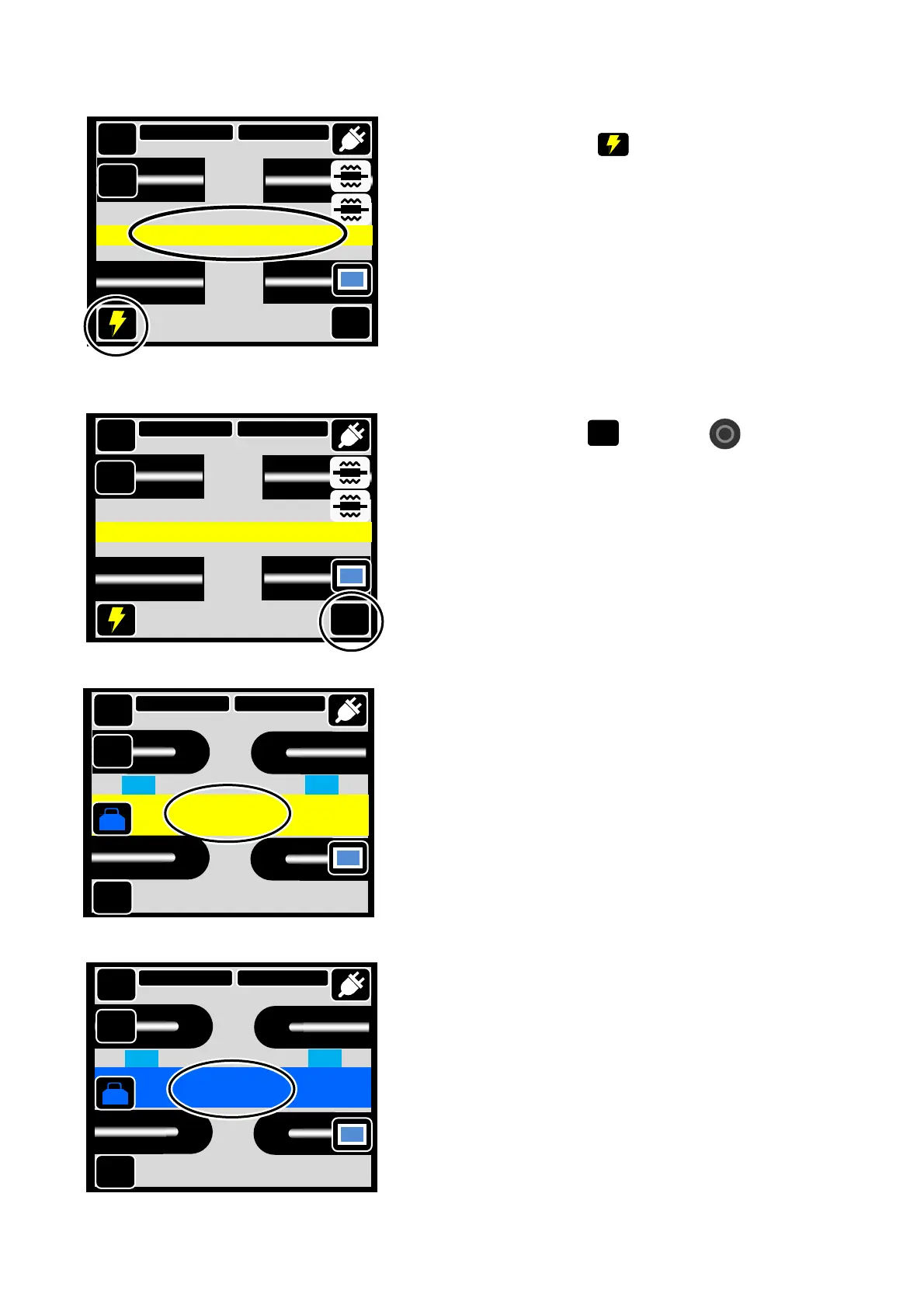
2-14
3:Touch the “Arc test” ( )
4:“Arc Test Ready” screen will be displayed.
5:Touch the “Start” ( ) or push ( ).
6: An arc test is started. Fibers are not
spliced because it is not moved on the
arc test.
Start
7: If “Arc Too Weak”, “Arc Too Strong” or “Arc
Center” is displayed, prepare the fiber
again and repeat the test until “ARC OK”
is displayed.
The meltback distance of the left and right
fibers and the arc center position which
are measured via image processing are
displayed on the monitor screen. (The
arc center position is displayed only if the
position is shifted.)
8: If “Arc OK” is displayed, begin the fiber
preparation procedure to perform a splice.
The splicer automatically initializes when
the hood is opened.
MENU
SM G652 Std.
60mm 0.25
011
011
DISP
Reset
Arc OK
Good arc state. Splice can be done.
Tool
DISP
X/Y
MENU
0180->0226
SM G652 Std.
60mm 0.25
Arc Too Weak
002
002
DISP
Reset
Tool
DISP
X/Y
MENU
SM G652 Std.
60mm 0.25
Start
DISP
Arc Test Ready
X/Y
MENU
SM G652 Std.
60mm 0.25
Start
DISP
Arc Test Ready
X/Y



 To Next Page