EasyManua.ls Logo

Summa S ONE - Page 19

Summa S ONE
89 pages
Print Icon
To Next Page IconTo Next Page
To Previous Page IconTo Previous Page
Loading...
S One User’s Manual
Setup 1-11
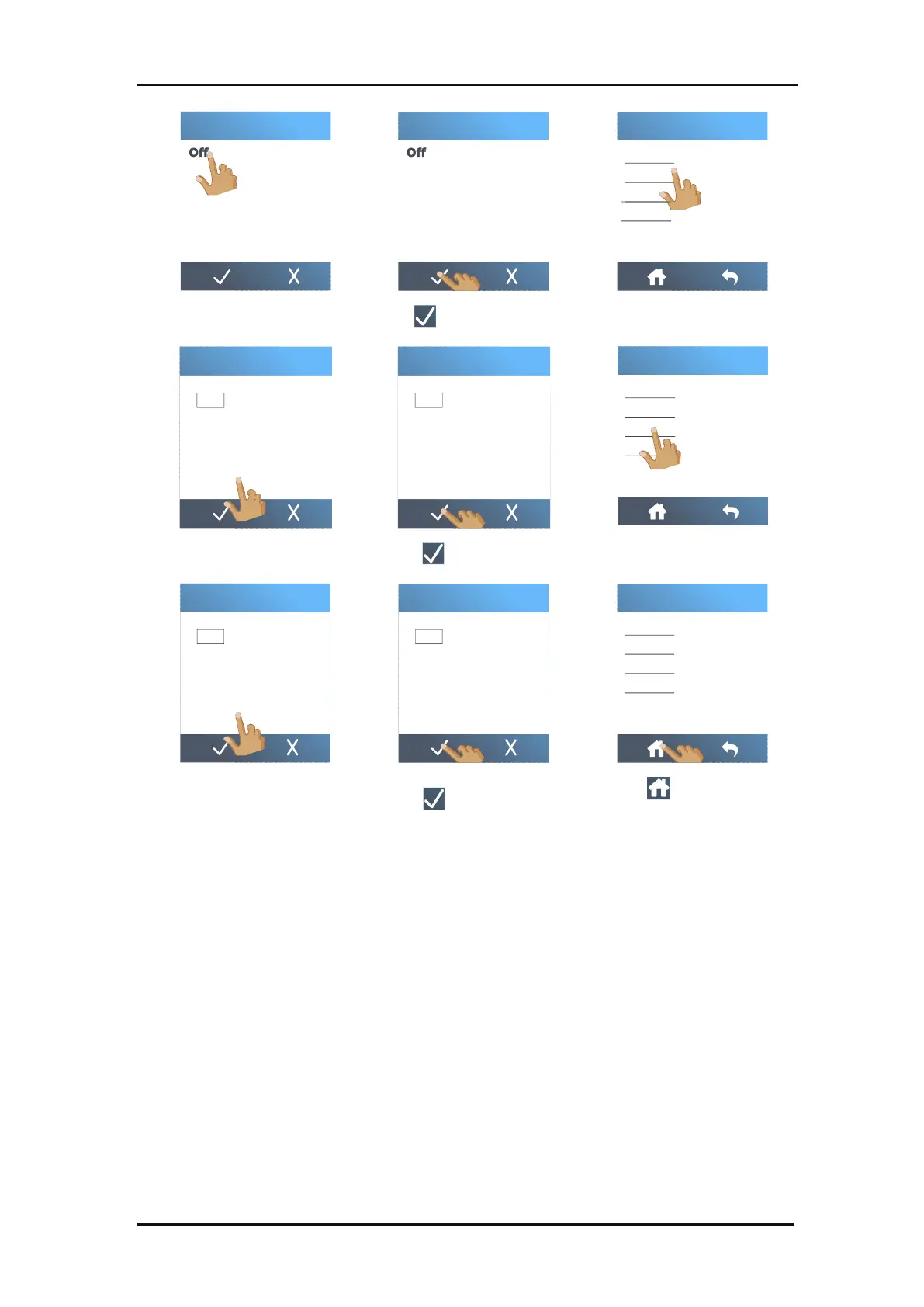
6. Tap
Off
.
7. Tap to confirm.
8. Tap
IPv4 address
.
9. Set the address correctly.
10. Tap to confirm.
11. Tap
Subnet
.
12. Set the address correctly.
13. Tap to confirm.
14. Tap to return to the
home screen.
15. Reboot the cutter.
On
DHCP
On
DHCP
Subnet
Ipv4 address
DHCP
Ethernet
Default gateway
Ipv4 address
1 2 3 0
4 5 6
7 8 9 C
192 . 168 . 1 . 1
Ipv4 address
1 2 3 0
4 5 6
7 8 9 C
192 . 168 . 1 . 1
Subnet
Ipv4 address
DHCP
Ethernet
Default gateway
Subnet
1 2 3 0
4 5 6
7 8 9 C
. . 255 255 255 . 0
Subnet
1 2 3 0
4 5 6
7 8 9 C
255 255 255 . 0 . .
Subnet
Ipv4 address
DHCP
Ethernet
Default gateway
Tool

Table of Contents

Related product manuals