EasyManua.ls Logo

Summa S ONE - Fixed IP Address Setting

Summa S ONE
89 pages
Print Icon
To Next Page IconTo Next Page
To Previous Page IconTo Previous Page
Loading...
S One User’s Manual
Setup 1-14
1.4.3.1 Fixed IP address setting
Ask the network administrator for the address and the subnet mask if a static address is used.
NOTE: It is recommended to use a static IP address.
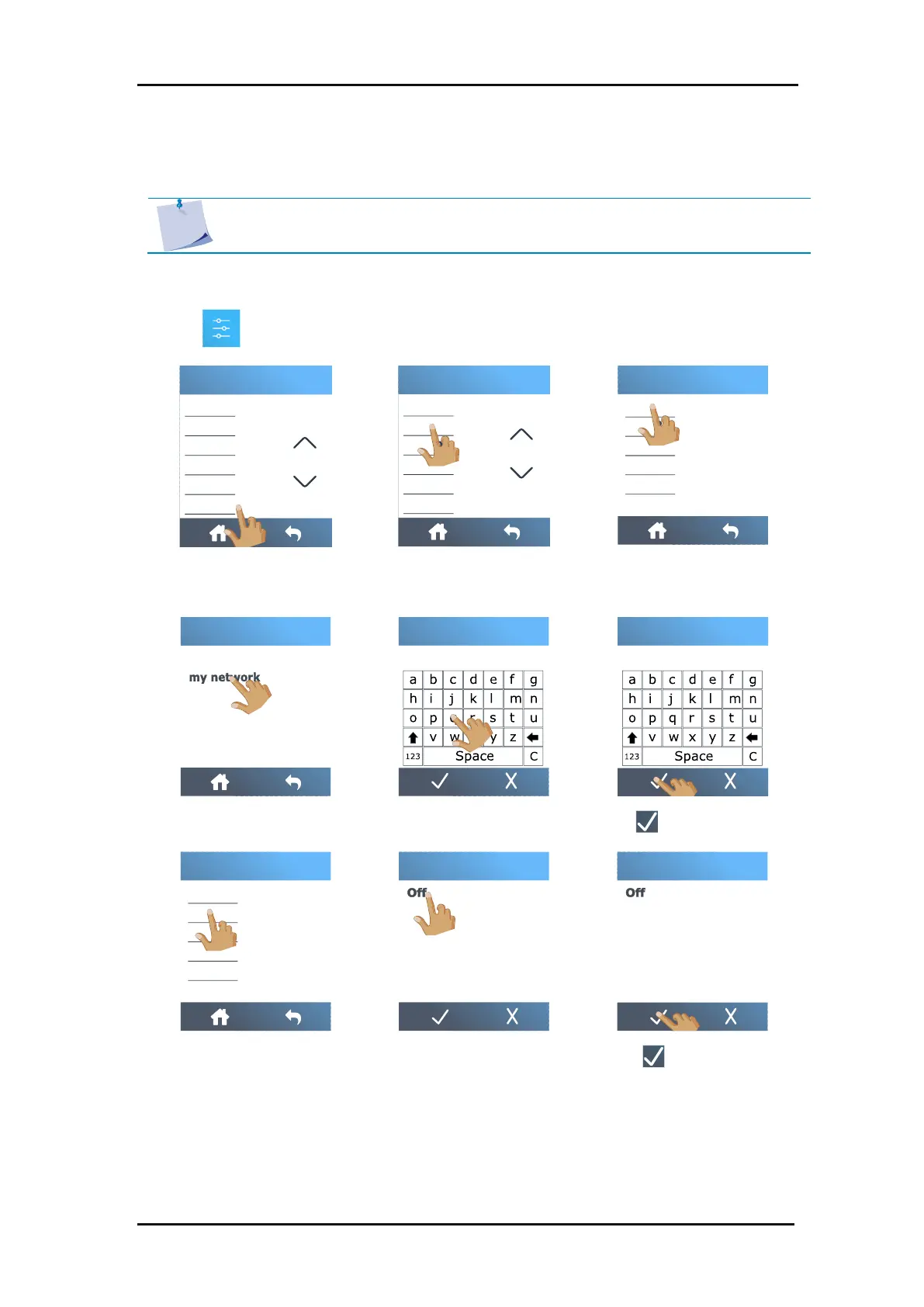
1. Power on the cutter (see section 1.3).
2. Tap .
3. Scroll down with the arrow
and tap
Configuration
.
4. Tap
Wi-Fi
.
5. Tap
Networks
.
6. Tap the correct network.
7. Enter the password.
8. Tap to confirm.
9. Tap
DHCP
.
10. Tap
Off
.
11. Tap to confirm.
FlexCut
Tool
Actions
Settings
Calibrations
Configuration
Menu
Ethernet
Wi-Fi
USB port
Language
Menu units
OPOS parameters
Configuration
Subnet
Ipv4 address
DHCP
Default gateway
Networks
Wi-Fi
Turn Wi-Fi off
my neighbours network
Wi-Fi
Wi-Fi password
Wi-Fi password
qwerty
Subnet
Ipv4 address
DHCP
Default gateway
Networks
Wi-Fi
On
DHCP
On
DHCP

Table of Contents

Related product manuals