EasyManua.ls Logo

Summa S ONE - Cutting the same Graphic on Multiple Media Sheets

Summa S ONE
89 pages
Print Icon
To Next Page IconTo Next Page
To Previous Page IconTo Previous Page
Loading...
S One User’s Manual
OPOS 3-10
If the same graphic design needs to be printed on multiple sheets, this feature can be used.
NOTE: The sheets should be of approximately the same size and the graphics on
them should be oriented and positioned in the same way.
NOTE: OPOS sheet mode ignores the parameter
OPOS origin
, so the tool will
always have to be set manually for the first job.
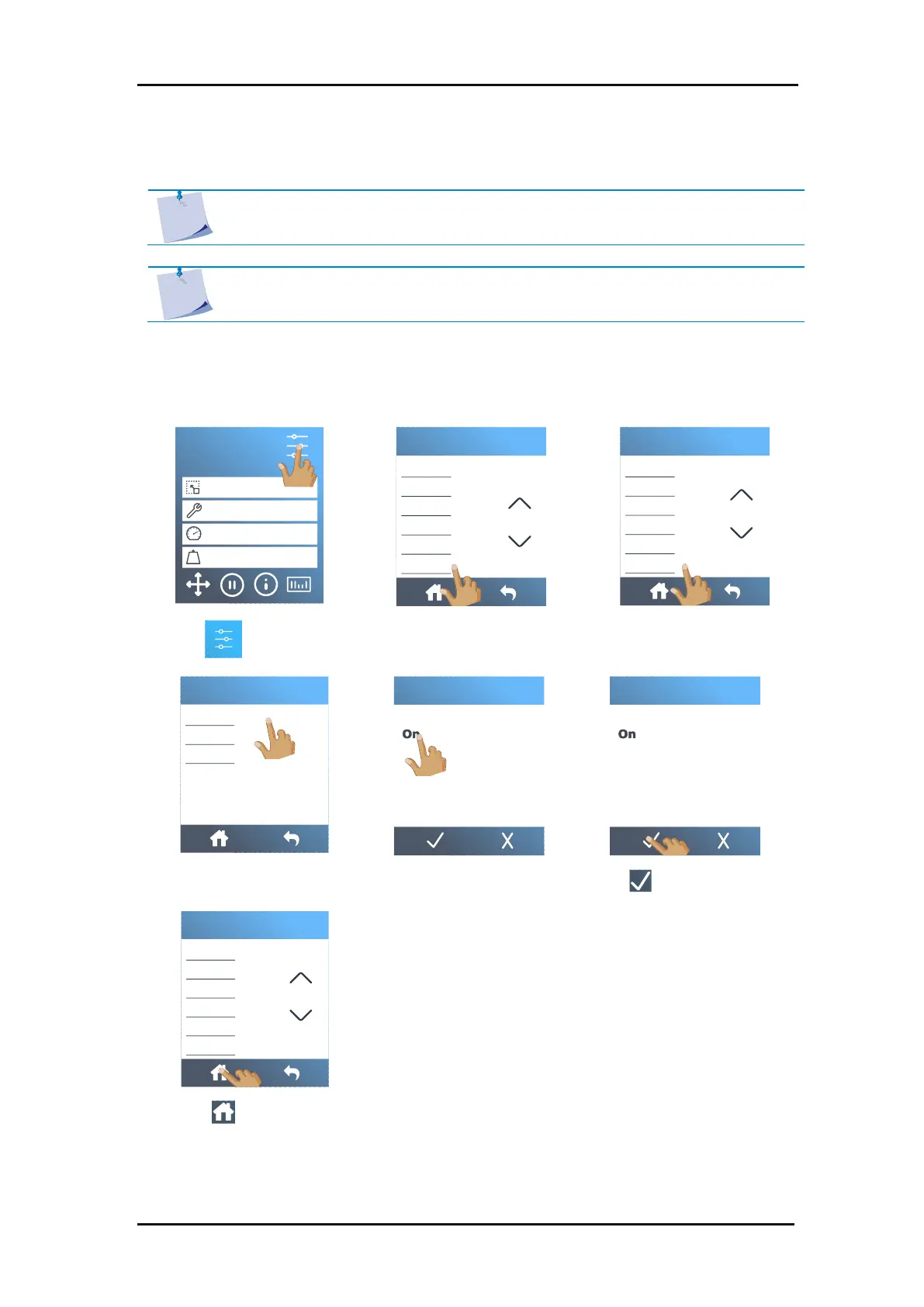
First, load the media and check whether the parameters of the OPOS marks are set correctly.
Cutting the same graphic on multiple media sheets:
1. Tap .
2. Scroll down with the arrow
and tap
Configuration
.
3. Tap
OPOS parameters
.
4. Tap
OPOS sheet mode
.
5. Tap
On
.
6. Tap to confirm.
7. Tap to get online
again.
S1D160
50000 x 145 mm
Knife
700 mm/s
90 g
Configuration 1
LAN 192.168.10.2
FlexCut
Tool
Actions
Settings
Calibrations
Configuration
Menu
Ethernet
Wi-Fi
USB port
Language
Menu units
OPOS parameters
Configuration
OPOS sheet mode
OPOS panelling
OPOS origin
OPOS parameters
Off
OPOS sheet mode
Off
OPOS sheet mode
Ethernet
Wi-Fi
USB port
Language
Menu units
OPOS parameters
Configuration
Tool
3.3.3 Cutting the same graphic on multiple media sheets

Table of Contents

Related product manuals