EasyManua.ls Logo

Summa S ONE - In Case the DHCP Server Is Used

Summa S ONE
89 pages
Print Icon
To Next Page IconTo Next Page
To Previous Page IconTo Previous Page
Loading...
S One User’s Manual
Setup 1-12
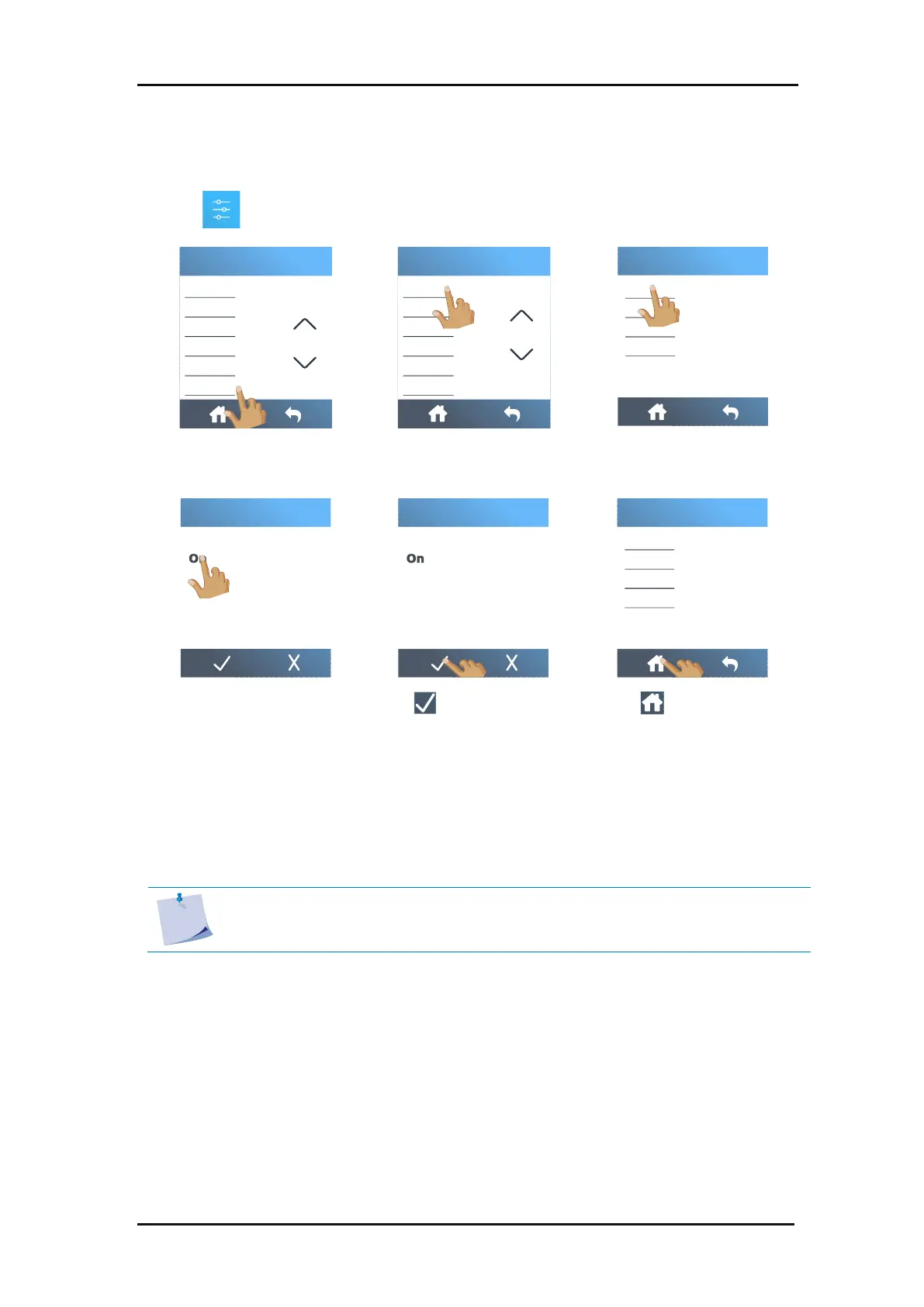
1. Connect the Ethernet cable and power on the cutter (see section 1.3).
2. Tap .
3. Scroll down with the arrow
and tap
Configuration
.
4. Tap
Ethernet
.
5. Tap
DHCP
.
6. Tap
On
.
7. Tap to confirm.
8. Tap to return to the
home screen.
9. Reboot the cutter.
The assigned IP address should now be visible in the status and can be used in the cutting
software.
NOTE: If the DCHP server is used, then the IP address that is assigned to it can be
changed if the cutter is not used for a time longer than the lease time set in the
DHCP server (check with your IT admin for details).
FlexCut
Tool
Actions
Settings
Calibrations
Configuration
Menu
Ethernet
Wi-Fi
USB port
Language
Menu units
OPOS parameters
Configuration
Subnet
Ipv4 address
DHCP
Ethernet
Default gateway
Off
DHCP
Off
DHCP
Subnet
Ipv4 address
DHCP
Ethernet
Default gateway
Tool
1.4.2.2 In case the DHCP server is used:

Table of Contents

Related product manuals