EasyManua.ls Logo

Summa S ONE - Cutting Multiple Copies of a Graphic on the same Roll

Summa S ONE
89 pages
Print Icon
To Next Page IconTo Next Page
To Previous Page IconTo Previous Page
Loading...
S One User’s Manual
OPOS 3-8
If the same graphic design has been printed on a roll with equal distance between these
graphics, this feature can be used.
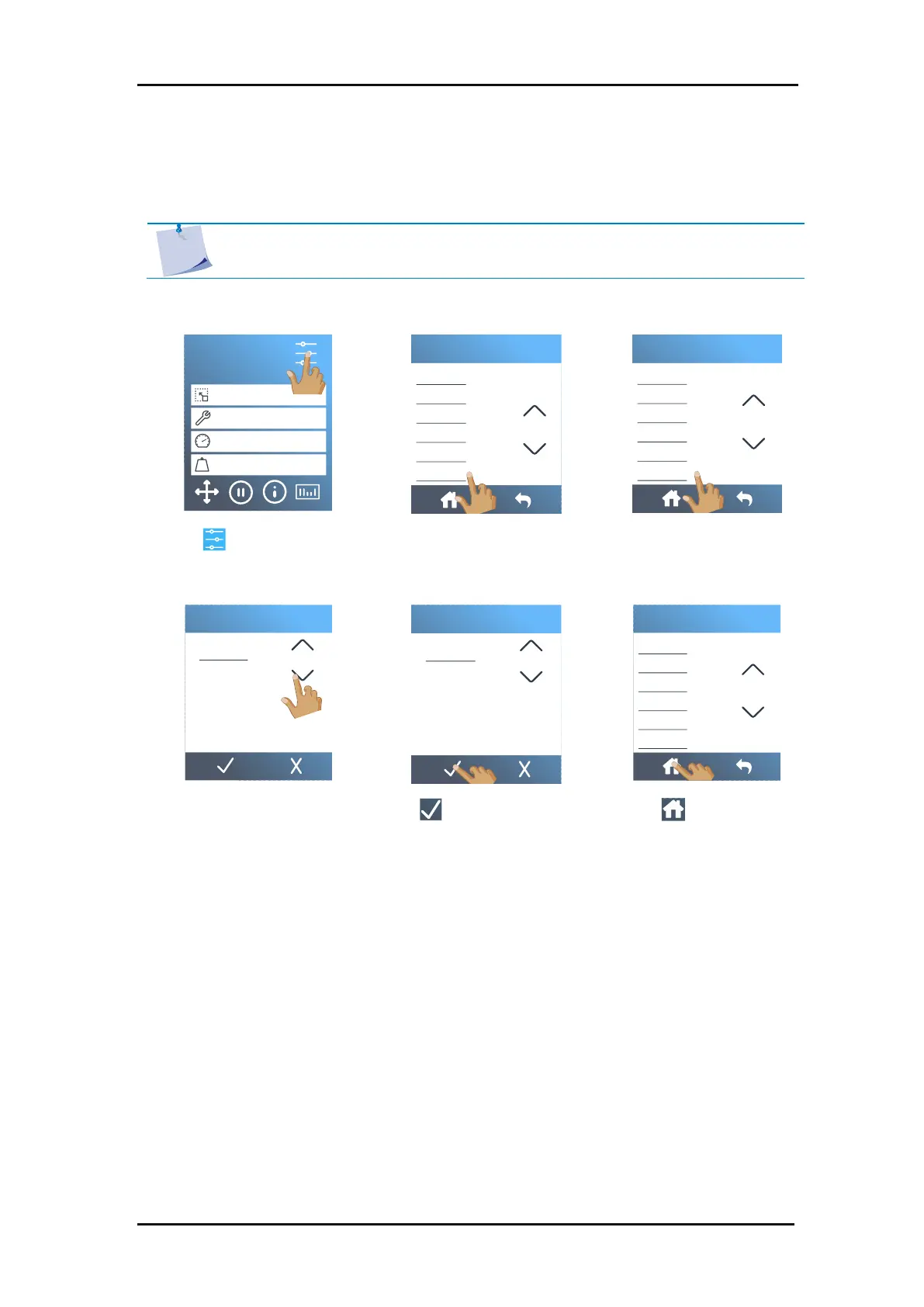
1. Power on the cutter and load the media.
2. Tap .
3. Scroll down with the arrow
and tap
Configuration
.
4. Scroll down with the
arrow and tap
Recut
offset
.
5. Use the arrows to change
the value or enter the
value.
6. Tap to confirm.
7. Tap to get online
again.
8. Make the first copy as you would perform a normal OPOS job.
The cutter will stop after the first contour has been cut and will come online again.
S1D160
50000 x 145 mm
Knife
700 mm/s
90 g
Configuration 1
LAN 192.168.10.2
FlexCut
Tool
Actions
Settings
Calibrations
Configuration
Menu
Language
Menu units
OPOS parameters
Factory defaults
Autoload
Recut offset
Configuration
Recut offset
1 2 3 0
4 5 6
7 8 9 C
40
40
mm
Recut offset
1 2 3 0
4 5 6
7 8 9 C
40
40
mm
Language
Menu units
OPOS parameters
Factory defaults
Autoload
Recut offset
Configuration
Tool
3.3.2 Cutting multiple copies of a graphic on the same roll
NOTE: The distance between the multiple copies should be at least 30 mm.

Table of Contents

Related product manuals