S One User’s Manual
Setup 1-13
1.4.3 Wi-Fi (optional – region dependent)
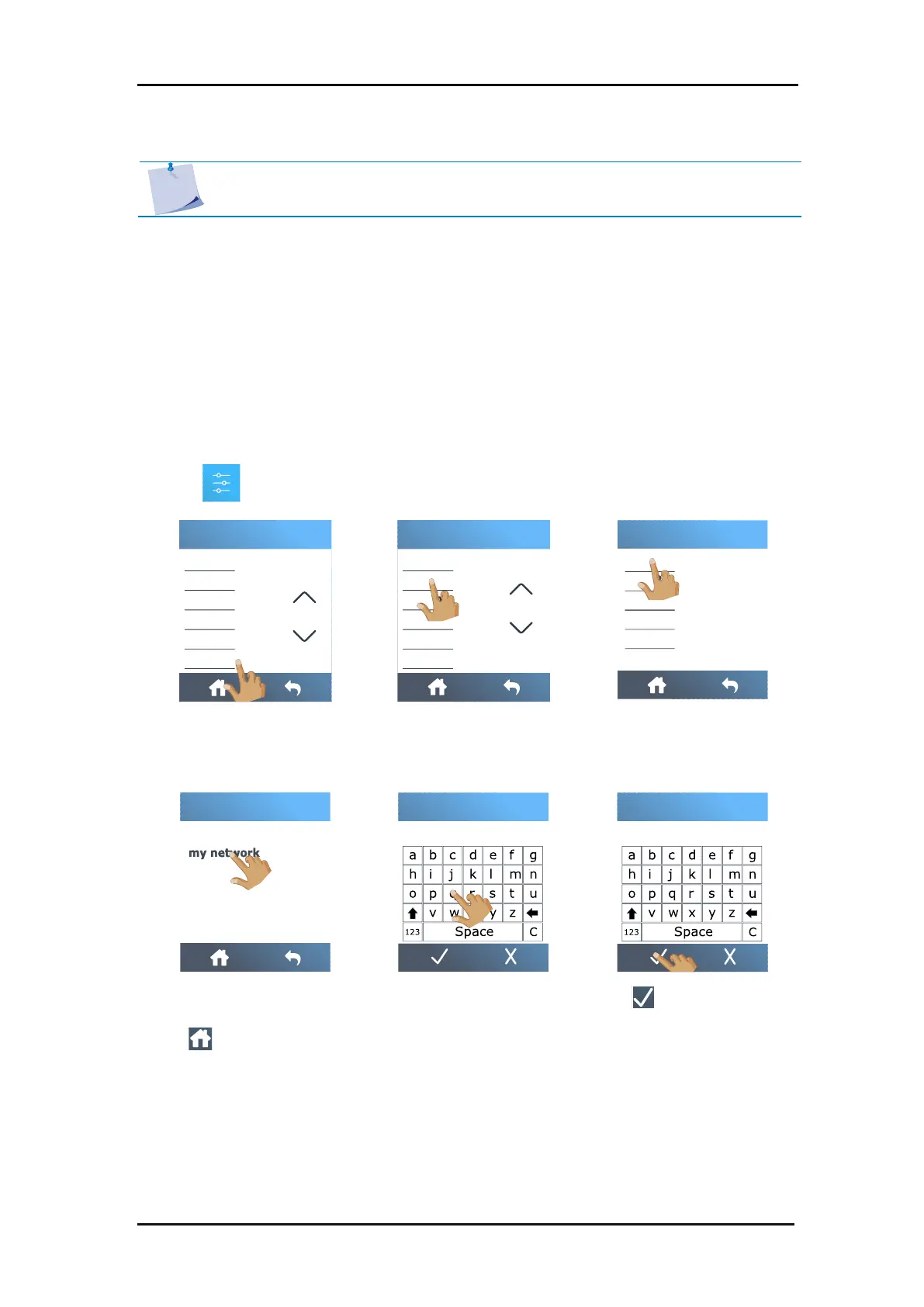
The S One can have a Wi-Fi connection as an option in certain parts of the world. If you live in
a region where Wi-Fi is not an option, then the message “Wi-Fi not available in your region”
will appear.
Wi-Fi is default set to use DHCP so the only thing that has to be done is to connect to the
correct Wi-Fi network that is broadcasting its SSID (network name).
1. Power on the cutter (see section 1.3).
2. Tap .
NOTE: The Wi-Fi option is deactivated by default and can be activated with a code.
This code also activates the barcode option. Check section1.7. for activation.



 To Next Page