EasyManua.ls Logo

Summa S ONE - Page 28

Summa S ONE
89 pages
Print Icon
To Next Page IconTo Next Page
To Previous Page IconTo Previous Page
Loading...
S One User’s Manual
Setup 1-20
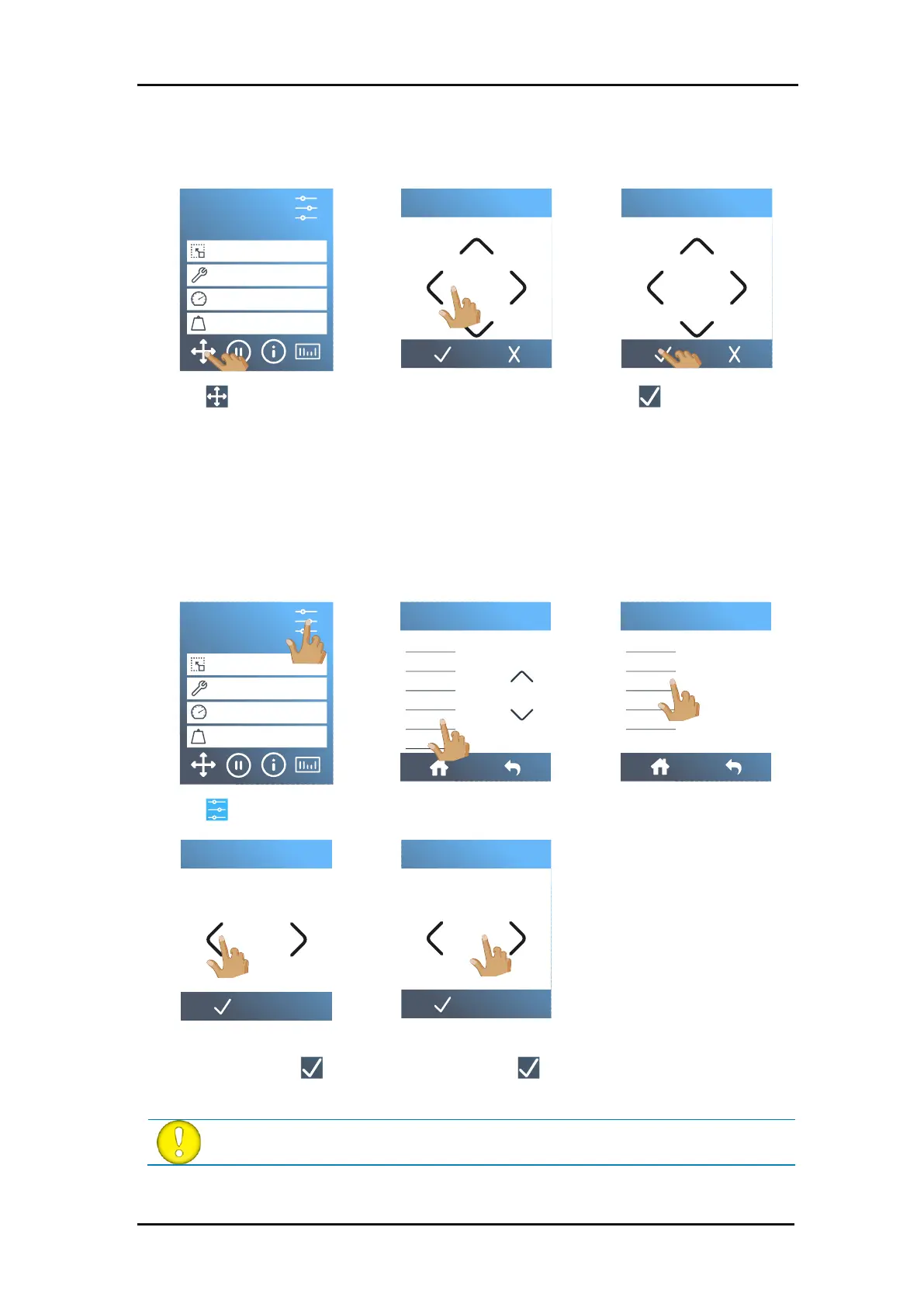
Changing origin.
1. Power on the cutter and load the media.
2. Tap .
3. Use the arrows to change
the origin. The value next
to Y is the width that is left.
4. Tap to confirm.
Load extended.
This function makes it possible to define the limits of the Y-axis so that the cutter can cut
outside the pinch rollers.
1. Power on the cutter and load the media.
2. Tap .
3. Tap
Actions
.
4. Tap
Load extended
.
5. Set the origin with the
arrows and tap to
confirm.
6. Set the size with the
arrows and tap to
confirm.
ATTENTION: Tracking is not guaranteed when using this mode.
S1D160
50000 x 145 mm
Knife
700 mm/s
90 g
Configuration 1
LAN 192.168.10.2
X 0.00 Y 1150.00
Set origin
X 0.00 Y 1150.00
Set origin
S1D160
50000 x 145 mm
Knife
700 mm/s
90 g
Configuration 1
LAN 192.168.10.2
Knife pressure
Knife offset
FlexCut
Tool
Actions
Settings
Menu
Confidence test
Load
Load extented
Replot
Reset
Actions
X 5.00
Set origin
X 5.00
Define size

Table of Contents

Related product manuals