29
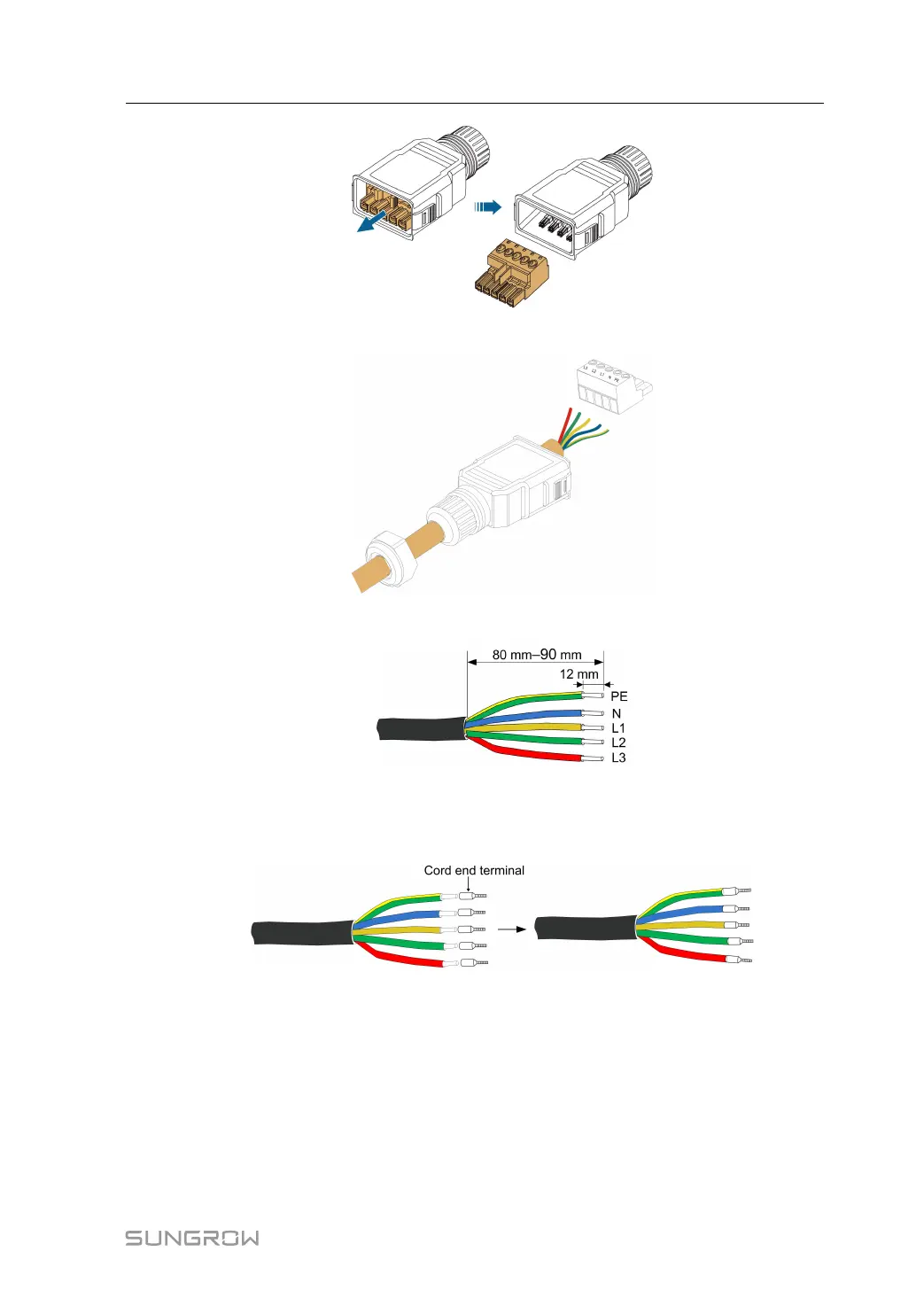
Step 4 Thread the AC cable of appropriate length through the swivel nut and the housing.
Step 5 Remove the cable jacket by 80 mm–90 mm, and strip the wire insulation by 12 mm.
Step 6 ((OOppttiioonnaall)) When using a multi-core multi-strand copper wire cable, connect the AC
wire head to the cord end terminal (hand-tight). In case of single-strand copper wire,
skip this step.
Step 7 Fix all the wires to the terminal plug according to the assignment and tighten to a torque
of 1.2 N•m–1.5 N•m with a screwdriver. Then push the terminal plug into the housing
until there is an audible click.
User Manual 5 Electrical Connection



 To Next Page