37
5.7 WiNet-S Connection
The WiNet-S module supports Ethernet communication and WLAN communication. It is
not recommended to use both communication methods at the same time.
For details, see the quick guide for the WiNet-S module.
5.7.1 Ethernet Communication
The WiNet-S communication cannot be used simultaneously with A1 and B1 terminals
for RS485 daisy chain.
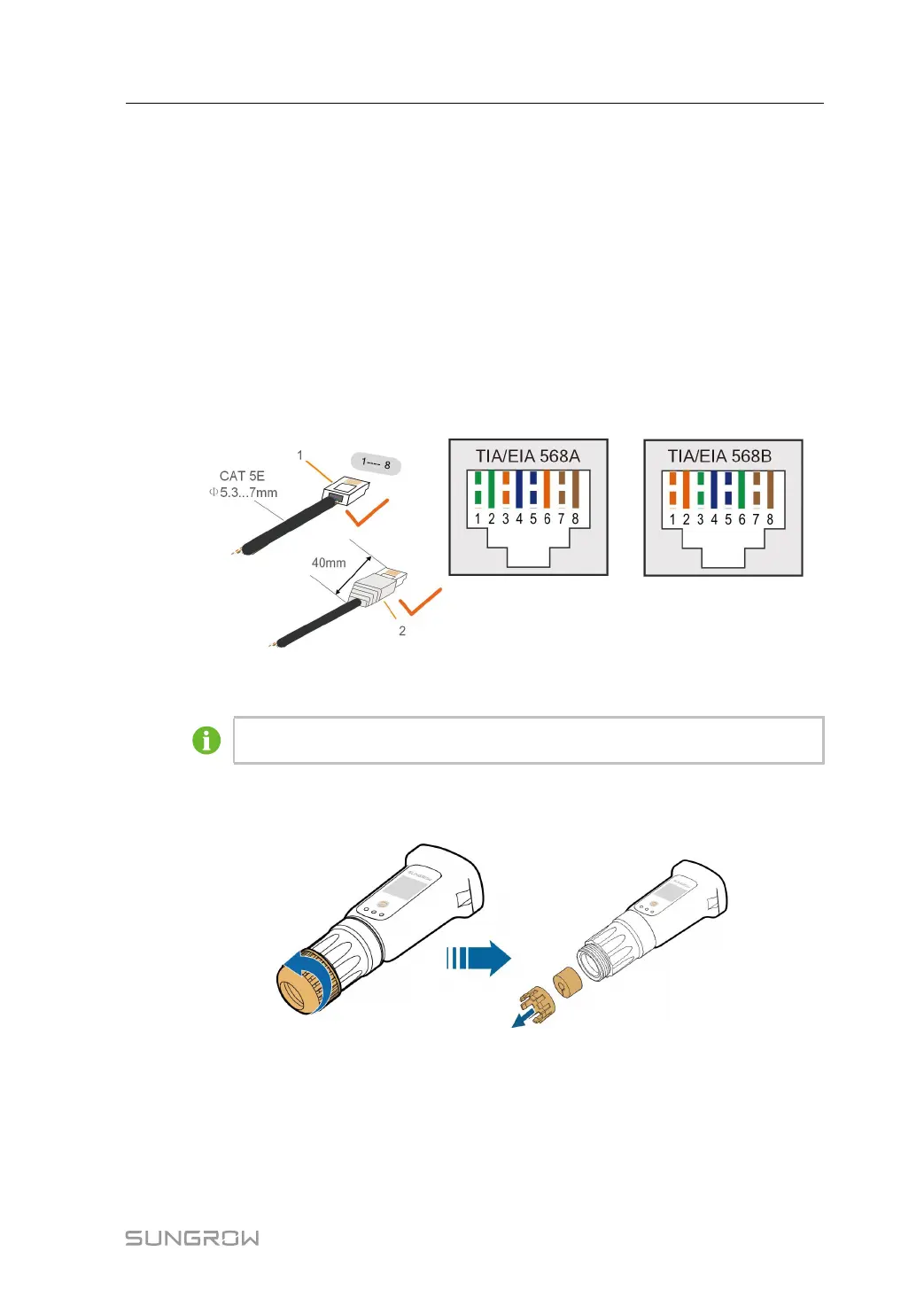
Step 1 ((OOppttiioonnaall)) Strip the insulation layer of the communication cable with an Ethernet wire
stripper, and lead the corresponding signal cables out. Insert the stripped
communication cable into the RJ45 plug in the correct order, and crimp it with a crimper.
1: RJ45 plug 2:Protective cap
Skip this step if a standard network cable with RJ45 plug is prepared.
Step 2 Unscrew the swivel nut from the communication module and take out the inner sealing
ring.
Step 3 Unscrew the housing from the communication module.
User Manual 5 Electrical Connection



 To Next Page