40
5.8.1 Assembling the COM Connector
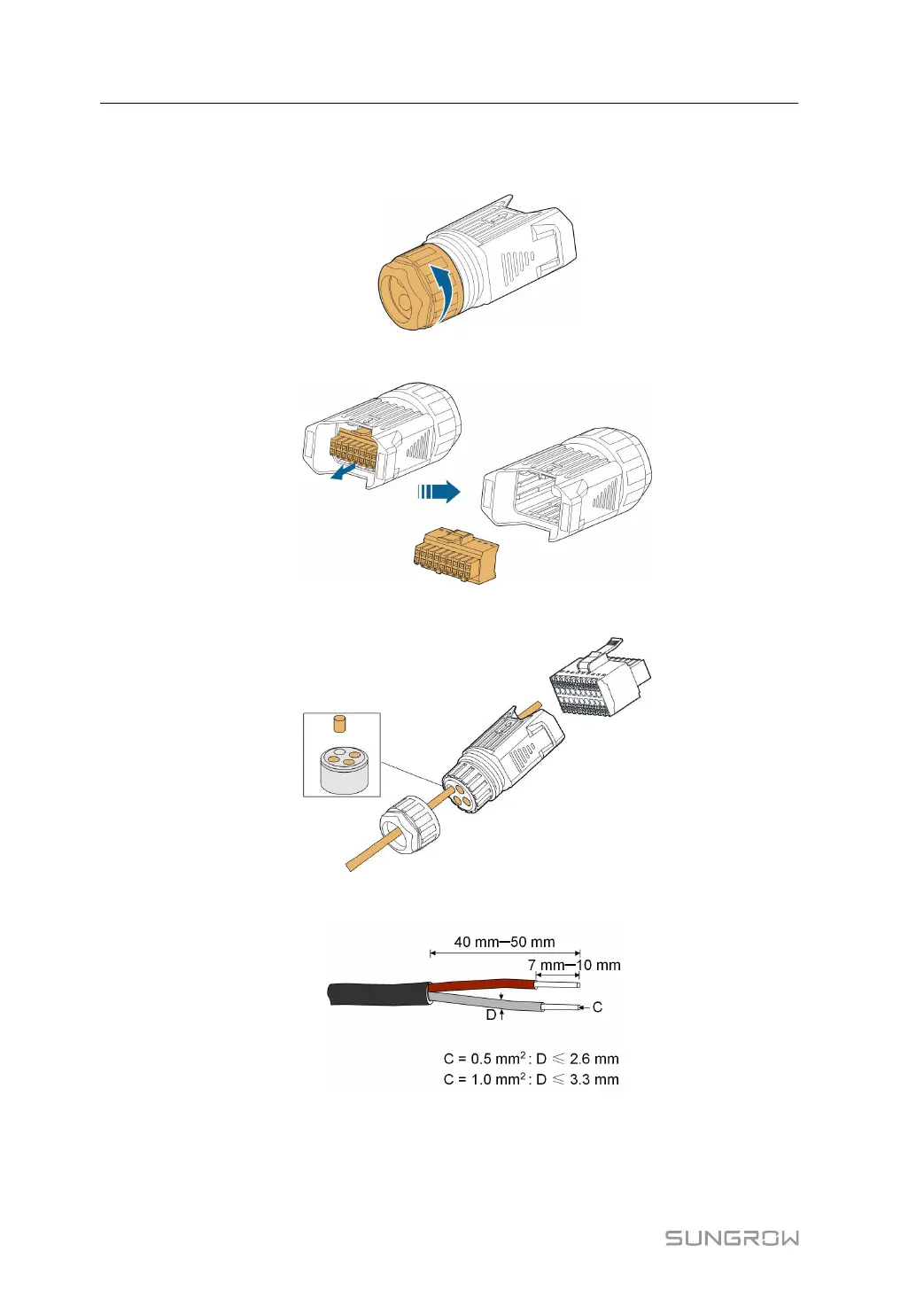
Step 1 Unscrew the swivel nut from the connector.
Step 2 Take out the terminal block.
Step 3 Remove the seal and lead the cable through the cable gland.
Step 4 Remove the cable jacket and strip the wire insulation.
Step 5 (Optional) When using a multi-core multi-strand wire cable, connect the wire head to
the cord end terminal. In case of single-strand copper wire, skip this step.
5 Electrical Connection User Manual



 To Next Page