55
7.3 Login
7.3.1 Requirements
The following items should meet requirements:
• The AC and DC sides or the AC side of the inverter is powered-on.
• The WLAN function of the mobile phone is enabled.
• The mobile phone is within the coverage of the wireless network produced by the
communication module.
7.3.2 Login Procedure
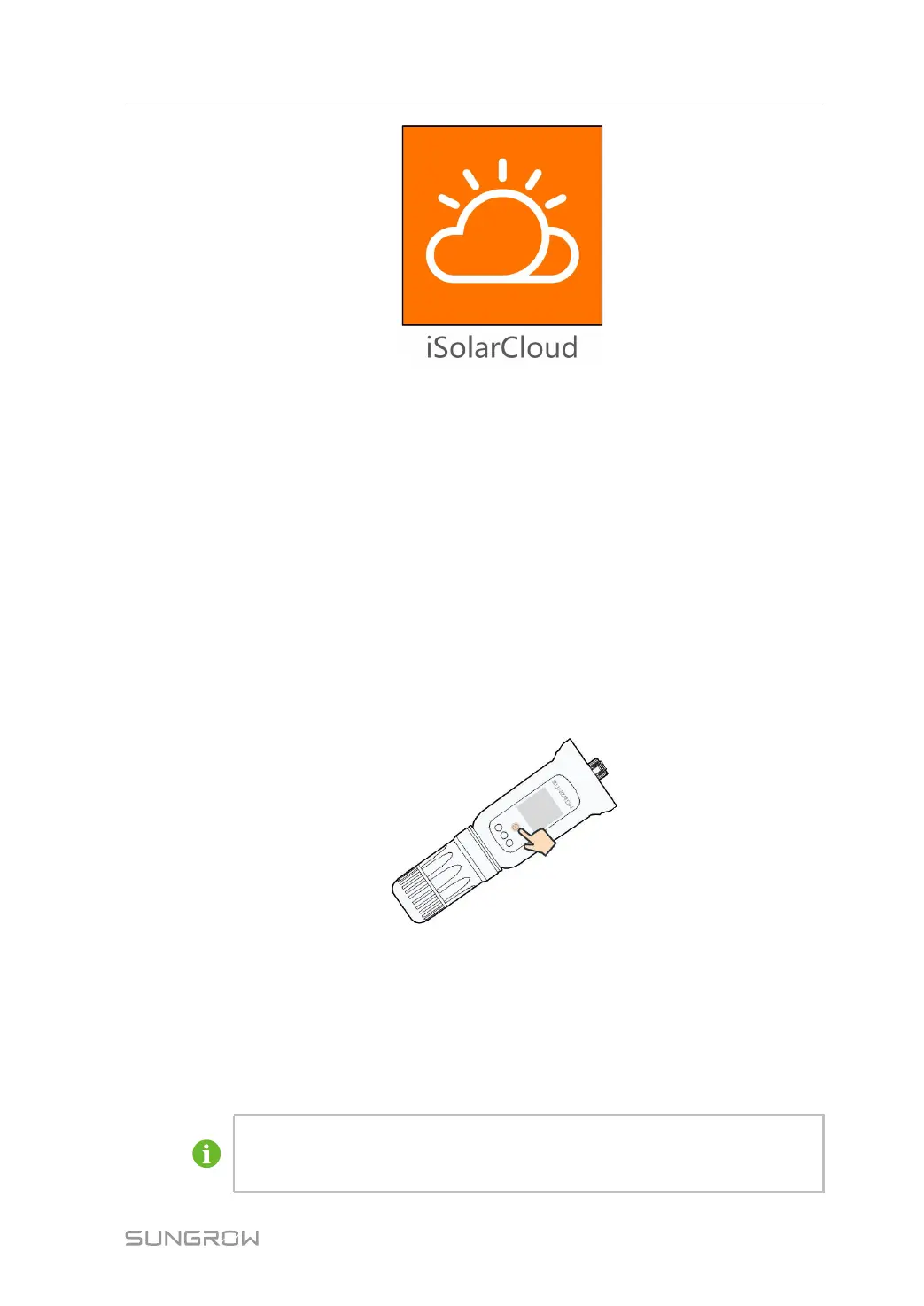
Step 1 Press the multi-function button on the WiNet-S module 3 times to enable the WLAN
hotspot. No password is required and the valid time is 30 minutes.
FFiigguurree 77--11 Enabling the WLAN Hotspot
Step 2 Connect the mobile phone to the WLAN network named as "SG-xxxxxxxxxxx" (-
xxxxxxxxxxx is the serial number indicated on the side of the communication module).
Step 3 Open the App to enter the login screen. Tap LLooccaall AAcccceessss to enter the next screen.
Step 4 Select WWLLAANN, enter the password and tap LLOOGGIINN.
The default account is "user" and the initial password is "pw1111" which
should be changed for the consideration of account security. Tap "More" at
the lower right corner on home page and choose "Change Password".
User Manual 7 iSolarCloud App



 To Next Page