User Manual 6 Electrical Connection
33
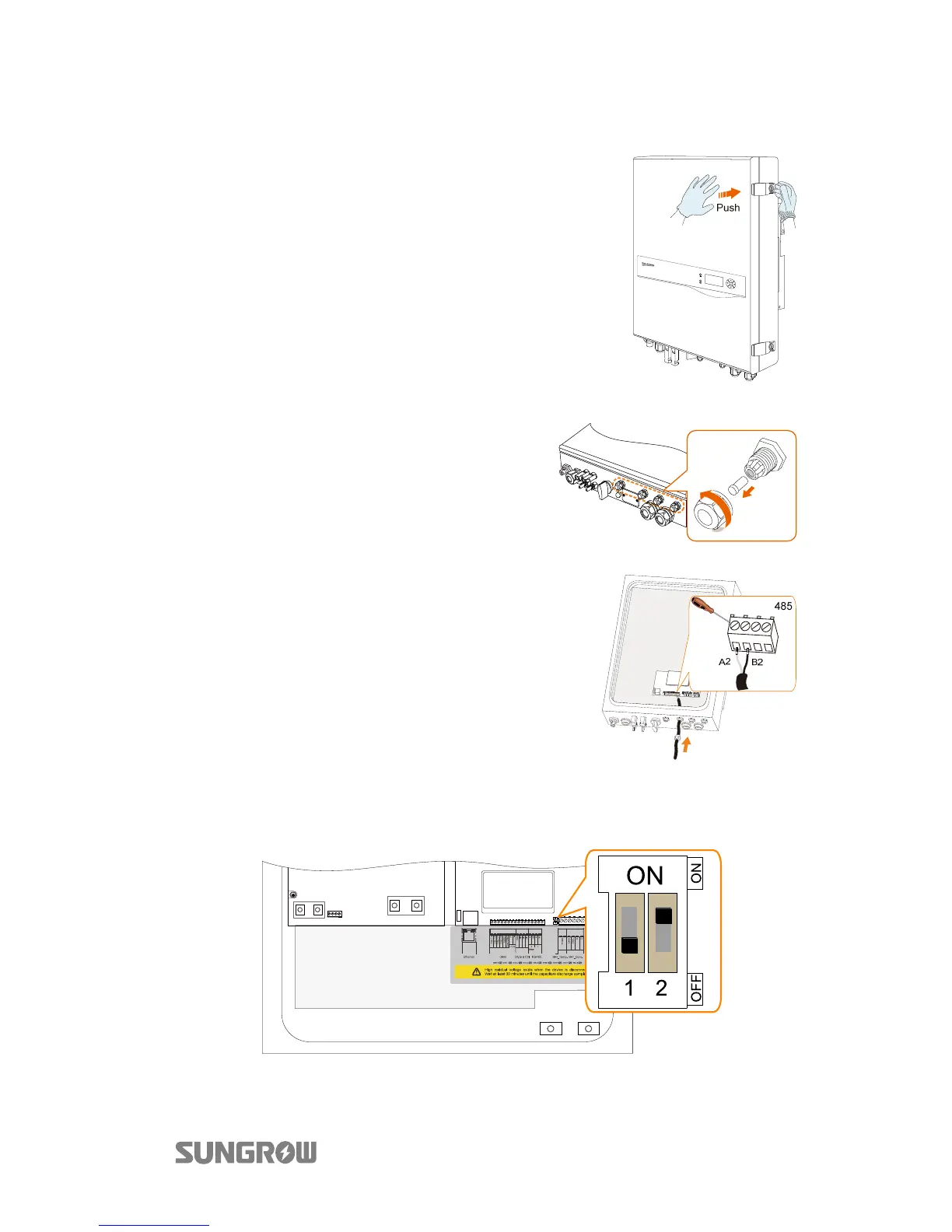
Proceed as follows to connect the RS485 wires to the inverter.
1. Open the enclosure lid.
2. Unscrew the swivel nut from
any Com. Port.
3. Lead the cable through the
cable gland.
4. Connect the wires to terminals
A2 and B2 on the inverter.
5. When the length of RS485 cable is longer than 100 m, push the 120ohM
(2) switch to “ON” to ensure st able communication, as shown b el ow.



 To Next Page