6 Electrical Connection User Manual
44
For GCL/BlueSun/BYD battery, please cut through the green (pin 6) and
white-green (pin 3) wires from the CANH and CANL terminals to set up
successful communication.
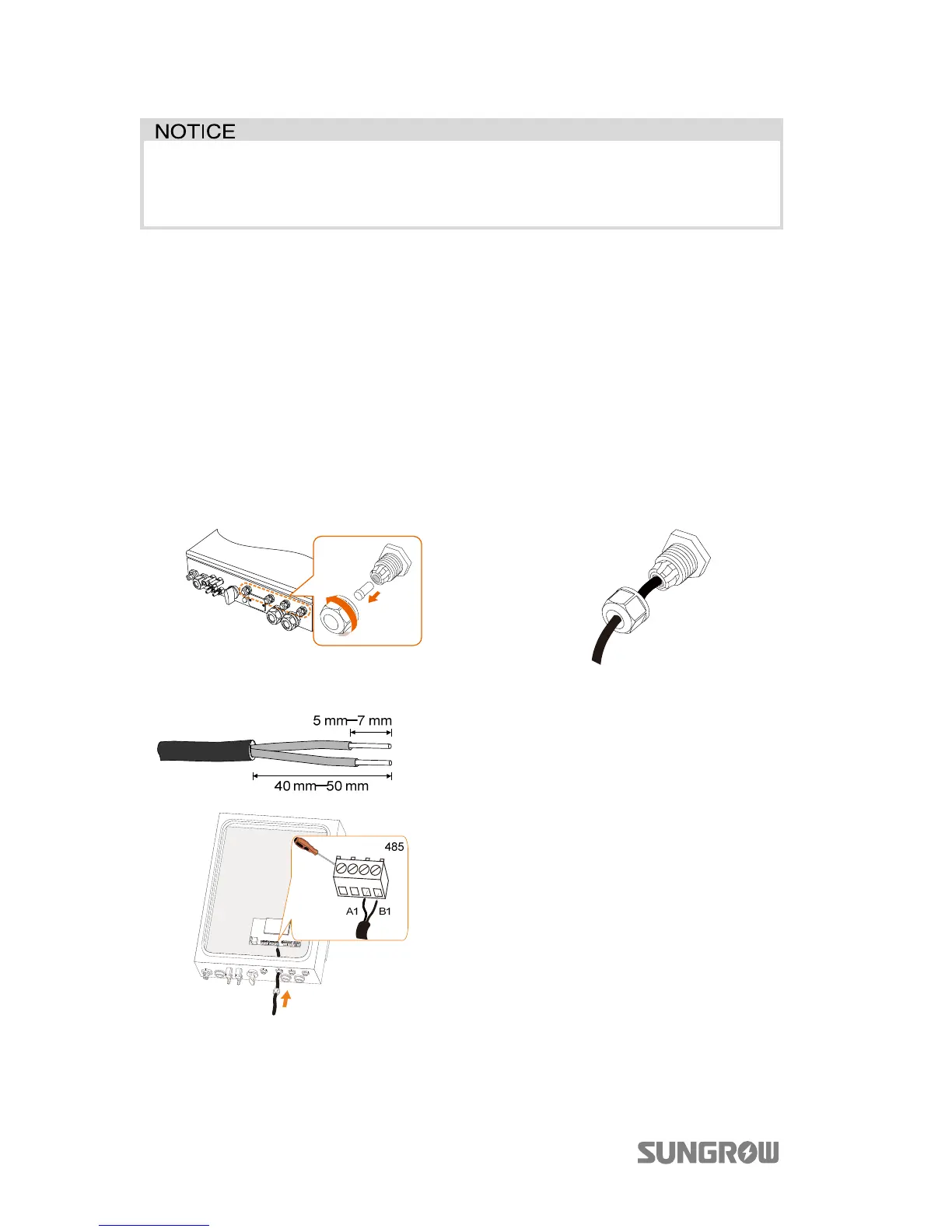
6.6.3 Connecting the RS485 Cable
The RS485 cable connected to the RS485_1 enables communication between the
inverter and the Pylon Li-ion battery US2000A.
Cable Requirements
Cross-section: 2*0.5 mm², cable diameter: 3 mm–5.3 mm
Procedure:
1. Unscrew the swivel nut from
any Com. port.
2. Lead the cable through the
cable gland, as shown below.
3. Remove the cable jacket and
strip the wire insulation.
4.
ighten the wires to terminals
A1 and B1, as shown below.
5. Fasten the swivel nut and
connect the other end to the
battery.



 To Next Page