10 Appendix I: LCD Operation User Manual
82
Battery Type SOC Threshold
Pylon (US2000A) ≤ 20 %
Pylon (US2000B) ≤ 21 %
LG / GCL / BlueSun ≤ 16 %
BYD ≤ 11 %
Narada lead-acid, other lead-acid ≤ 45 V
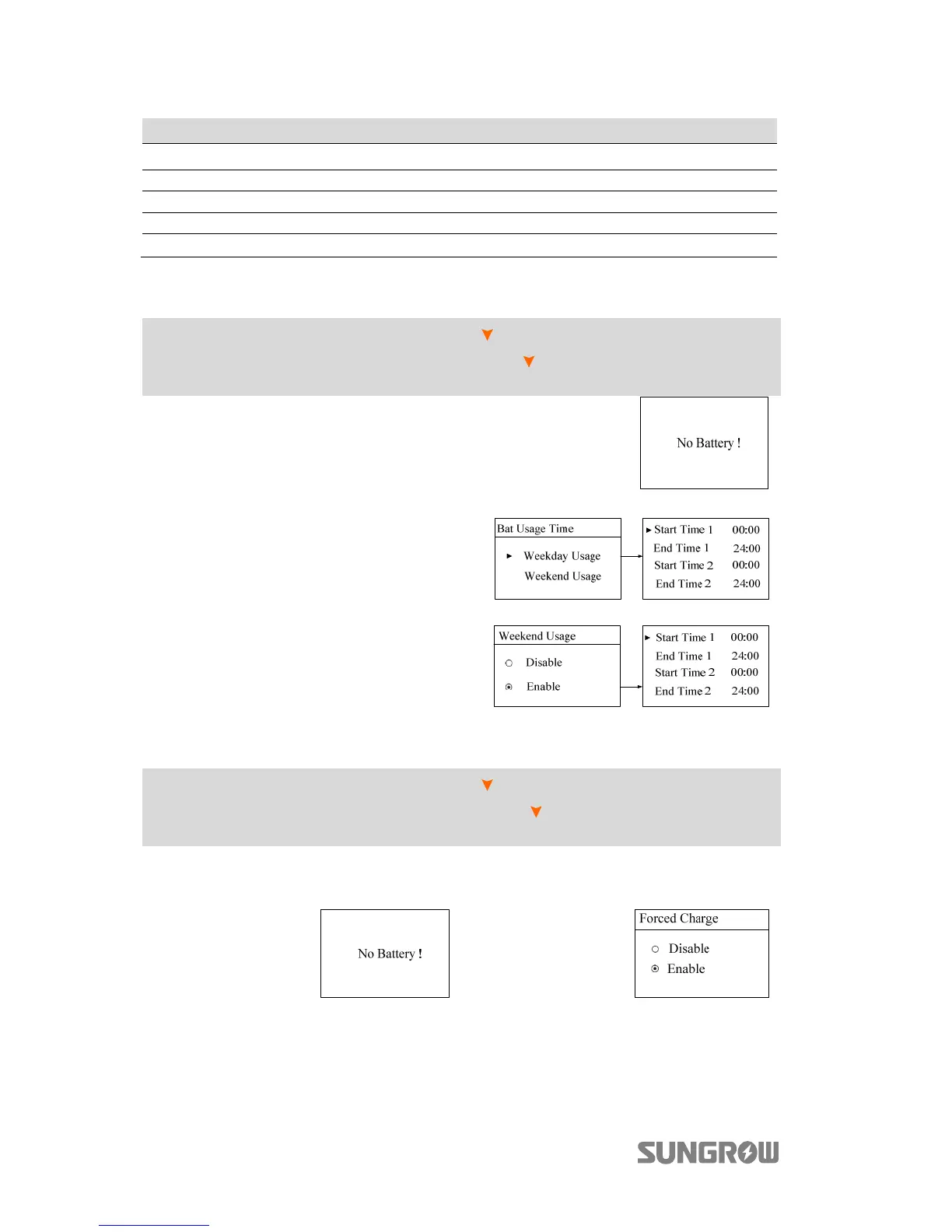
10.7.5 Setting the Battery Usage Time
Main Screen (Press ENT)→Menu (Press ×2)→Settings (Press ENT)→Input
password 111 (Press ENT)→Settings (Press ×4)→Bat Usage Time (Press
ENT)
When there is no battery equipped in the
system, a prompt will appear.
It is recommended to set the time period
in peak tariff time.
When there is overlap time of the forced
charge and the battery usage, the forced
charge will be in priority.
10.7.6 Setting Forced Charge
Main Screen (Press ENT)→Menu (Press ×2)→Settings (Press ENT)→Input
password 111 (Press ENT)→Settings (Press ×5)→Forced Charge (Press
ENT)
In the system without a battery, a prompt
will appear.
Enable the function for the system with a
battery.



 To Next Page