7 Commissioning User Manual
60
Proceed as follows to modify the settings.
1. Stop the inverter via the LCD menu. Refer to “10.6 Starting and Stopping
the Inverter”.
2. Reset the battery type and parameters. Refer to “10.7.9 Setting the Battery
Type”.
3. Start the inverter via the LCD menu. Refer to “10.6 Starting and Stopping
the Inverter”.
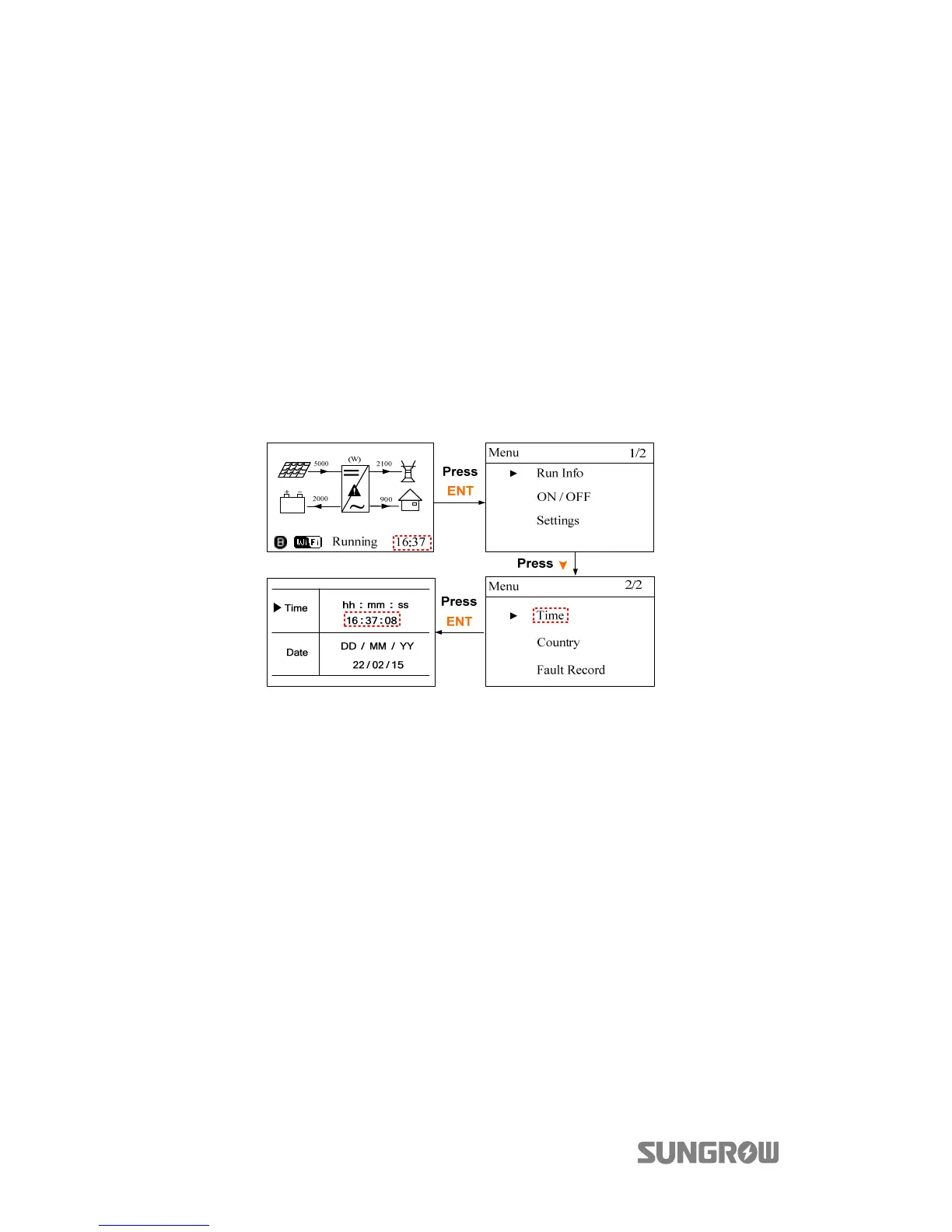
7.4.3 System Time
The correct system time is very important. If there is deviation between the system
time and the local time, the inverter will not operate normally. The clock is in
24-hour format. Proceed as follows to set the correct time.



 To Next Page