User Manual 11 Appendix II: Visiting and Configuring the Webserver
91
y If there is no operation for 10 minutes, the system will automatically
return to the login interface.
y The user can change the password after signing in. For details, see the
tab in the Webserver “System Information”.
y The figures in this chapter are all with an installer’s permission.
11.2 Main Interface
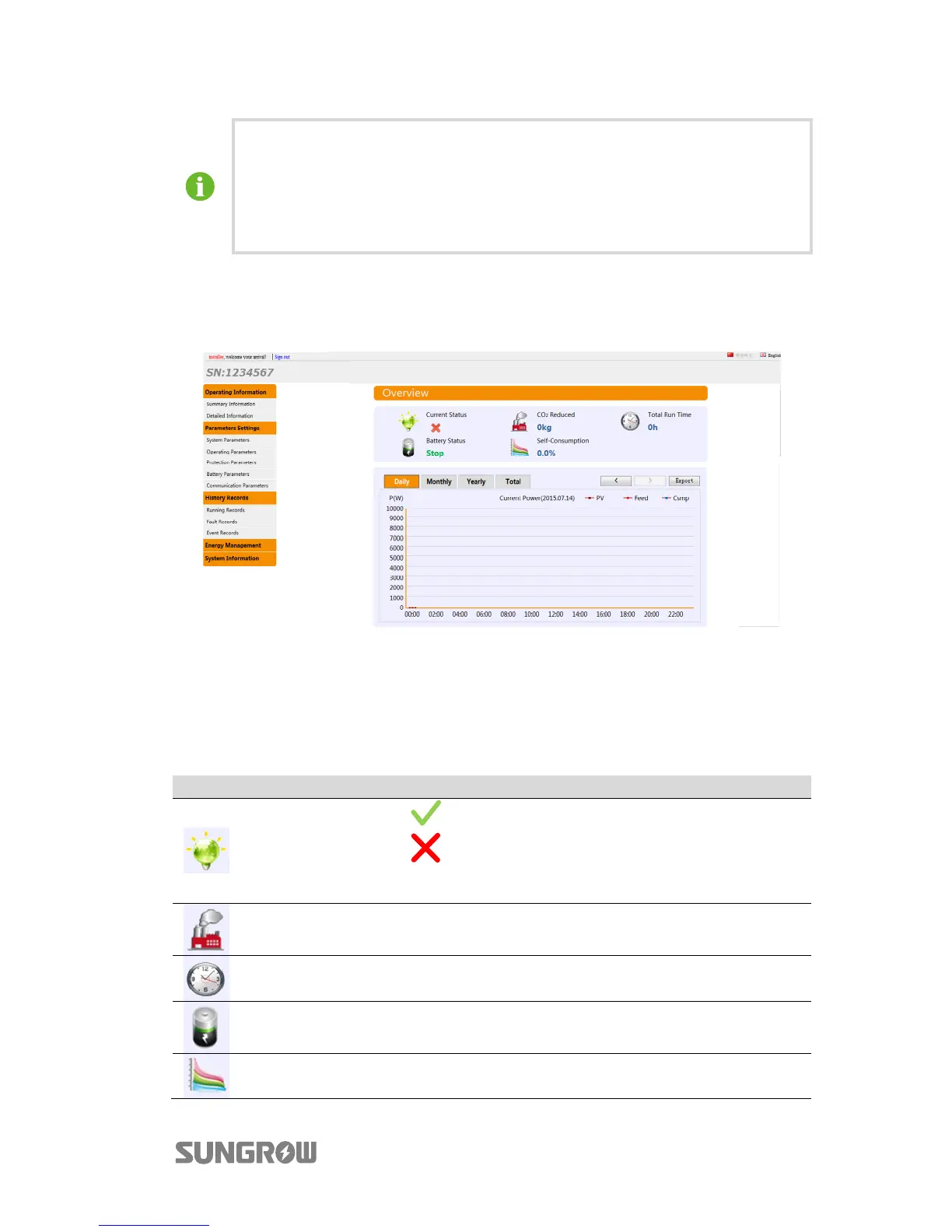
Fig. 11-1 Webserver Main Interface
The default interface after login displays the read-only information. You can use the
“Export” button to export data as a CSV file. The Serial Number (SN) of the running
inverter is shown on the upper-left corner.
Tab. 11-1 Icons Explanation
Icon Name Description
Current status
: no indication of faults
: indication of faults, e.g. with the inverter, and
with DSP and LCD communication.
CO
2
reduced CO
2
reduction (kg) due to the use of the solar system.
Total runtime Total operating time of the inverter (h).
Battery status Battery state of charge.
Self-consumption
The proportion of PV power generation used for load
consumption, as a percentage.



 To Next Page