User Manual 10 Appendix I: LCD Operation
89
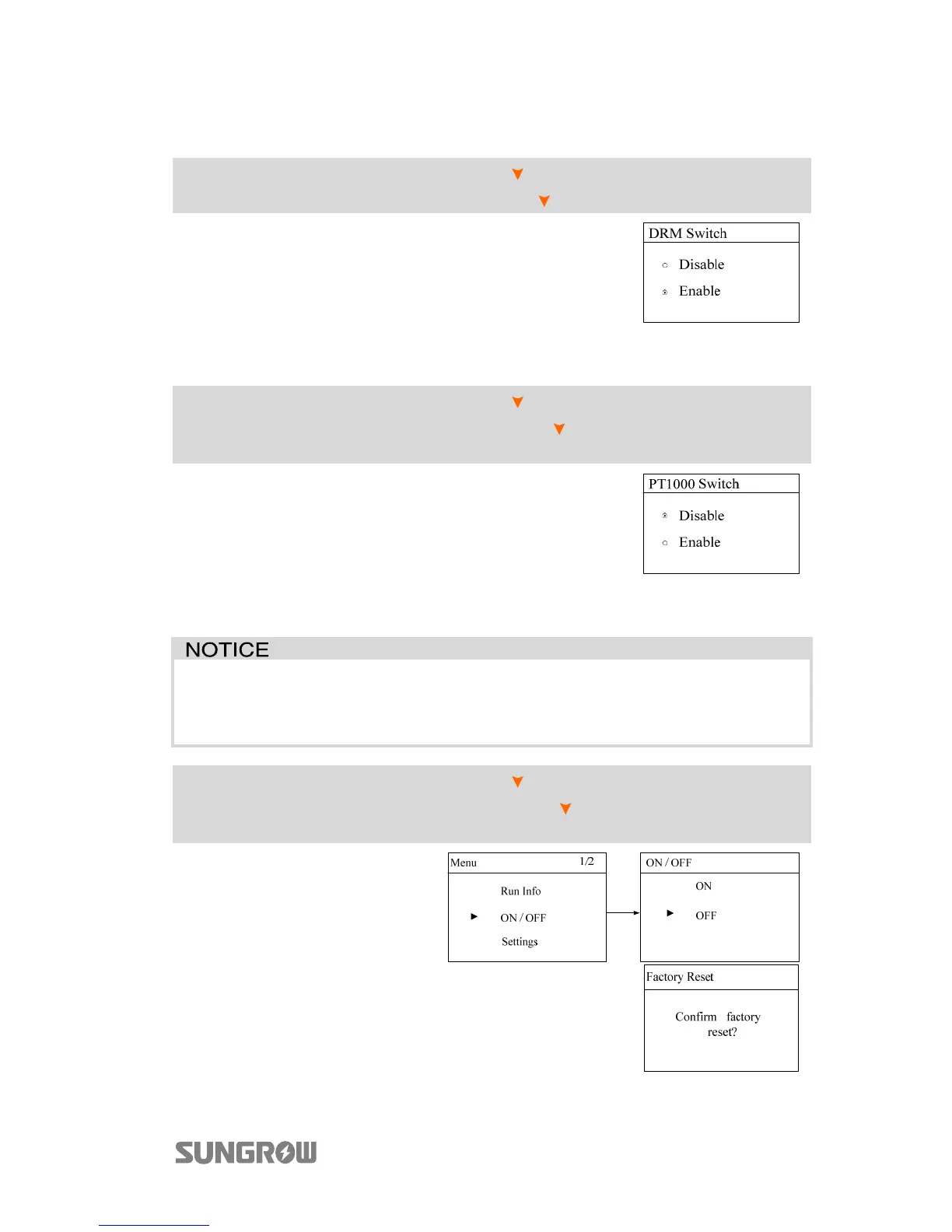
10.7.13 DRM Switch Setting
Main Screen (Press ENT)→Menu (Press ×2)→Settings (Press ENT)→Input
password 111 (Press ENT)→Settings (Press ×12)→DRM Switch (Press ENT)
The DRM function to the DRED (demand response
enabling device) is enabled by default.
Set to Disable to turn off the function.
10.7.14 PT1000 Switch Setting
Main Screen (Press ENT)→Menu (Press ×2)→Settings (Press ENT)→Input
password 111 (Press ENT)→Settings (Press ×13)→PT1000 Switch (Press
ENT)
The temperature sampling function of the sensor
PT1000 for lead-acid batteries is disabled by default.
Set to Enable to turn off the function.
10.7.15 Factory Reset
All history information will be irrecoverably cleared and all parameters will
return to the default values except the protection parameters and time once
the “Factory Reset” is performed.
Main Screen (Press ENT)→Menu (Press ×2)→Settings (Press ENT)→Input
password 111 (Press ENT)→Settings (Press ×14)→Factory Reset (Press
ENT)
Firstly, set the inverter to “OFF” via
the LCD menu.
Enter the “Settings” menu and navigate to “Factory
Reset”. Press ENT to confirm.



 To Next Page