User Manual 6 Electrical Connection
47
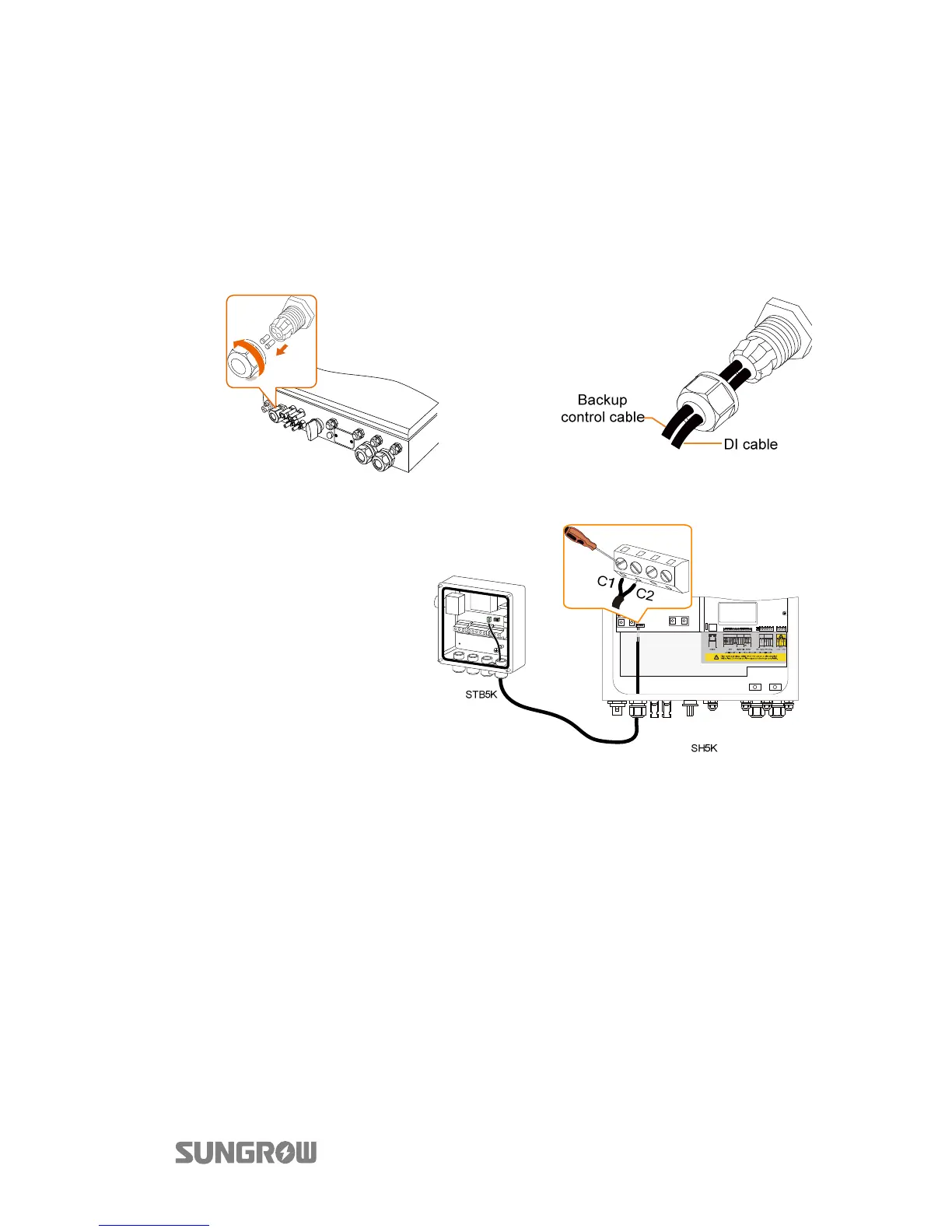
Connecting the Control Cable and DI Cable
The control cables (with end marks C1 and C2) and the DI cable (with end marks DI1,
DI2, DI3 and VDD) are delivered with the backup box STB5K.
1. Take out the cables from the packaging of STB5K.
2. Unscrew the swivel nut from
Backup Ctrl port.
3. Lead the cable through the left
hole.
4. Digital output cable:
Tighten the wires to
terminals C1 and C2
according to the marks
5. Digital input cable: tighten the wires to terminals DI1, DI2, DI3 and VDD
according to the marks, as shown below.



 To Next Page