SPECIALS
42 Specials MJB4 Rev06 10-09
4
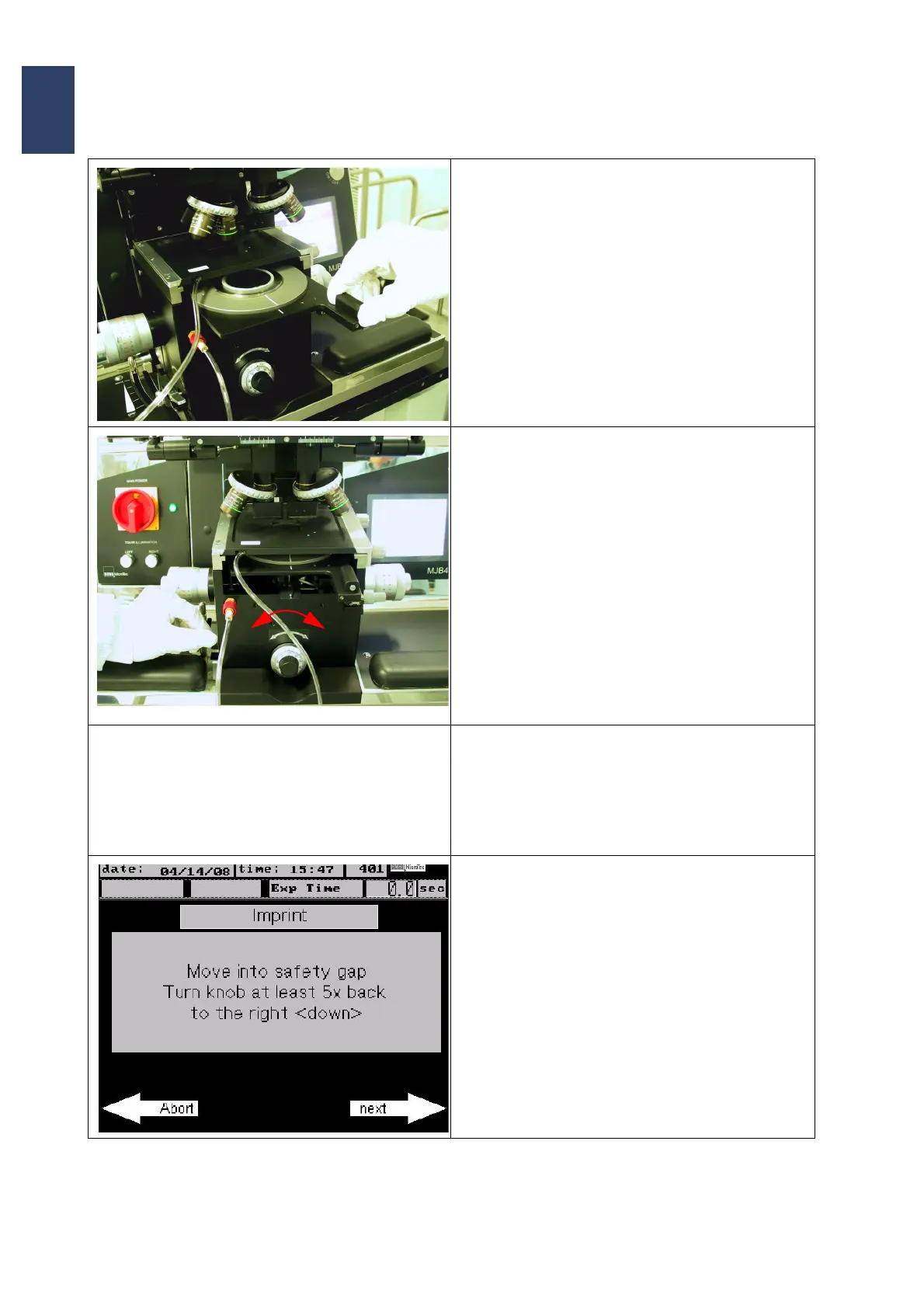
• Pull out the transport slide and load the sub-
strate onto the chuck.
• Activate the transport vacuum and insert the
transport slide until it reaches the end stop.
• Turn the contact lever back to perform WEC. Be
sure that the contact lever can be pushed all the
way down.
• One of the following messages will appear on
the screen:
•’Mask + Wafer too thick’
Adjust WEC to the right (down)
or
•„Adjust WEC to the left (up)“
• Turn the thickness setting knob depending on
the message until you hear a signal and the in
-
formation „WEC setting OK open the contact
lever“ appears on the display.
• Losen the contact lever to move the substrate
with the chuck down into normal position
Note:
The WEC-head remains clamped to keep the
wedge error compensation.
• The program prompts you to turn the thickness
setting knob clockwise (down) to move the sub
-
strate into a save distance.
This is necessary to avoid contact of the coated
substrate with the stamp before starting the im
-
print process.
• Press next to continue.



 To Next Page