Chapter 8 Communication Functions
8-48
3) Error code
Code Error type explanation
06 Slave Device Busy It’s sending or waiting to receive
09 Parameter Error Communication parameter setting error, Link enable setting error
10 Frame Type Error Frame does not setting or frame does not ‘sending’
8.2.4 Example of Usage
This example is supposed that there’s a communication between MASTER-K120S’s by the user-defined protocol. The system
configuration is as follows and the cable is the same with the one of 1:1 dedicated protocol communication.
The data in M area of the master station is sent to the slave station and the slave station saves received data in M area, output as direct
variable, and sends the data back to the master. This process repeats between the master and the slave.
1) The Programming and setting communication parameter of the master station
① Select the communication parameter and then select communication method and communication channel.
② Select ‘user Defined’ at protocol and mode item(‘list item is activated), then Click the ‘list’
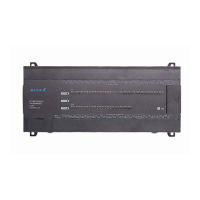
MASTER-K120S main unit
(Slave: Station No. 1)
MASTER-K120S main unit
(Master: Station no. 0)
1:1 dedicated protocol communication cable


 To Next Page