more. For details, see “Adjusting the input
level” on page 51.
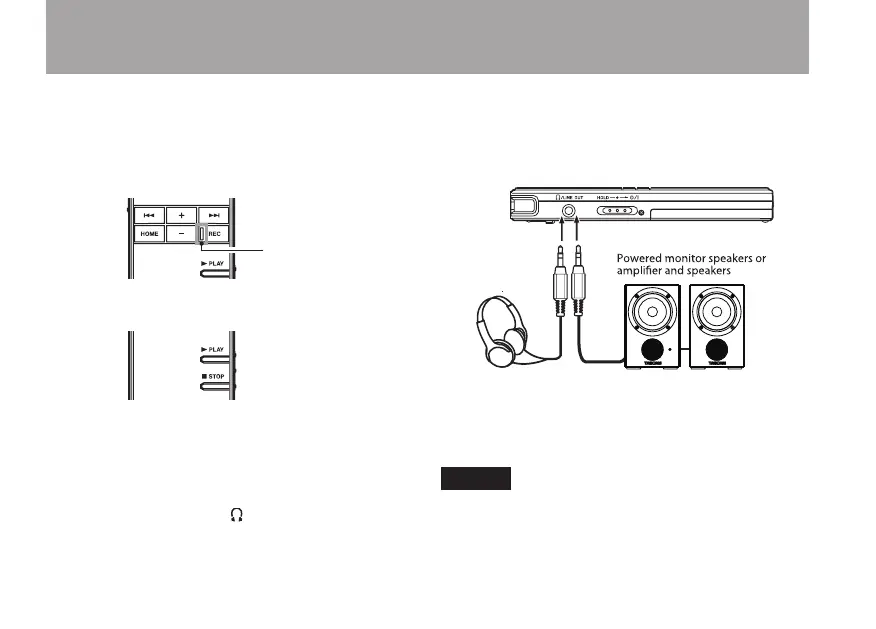
4 Press the REC key to start recording. The
REC indicator lights during recording.
5 Press the STOP key to stop recording.
6 Press the PLAY key to play back the
recording that you just made.
To listen using headphones or an
amplification system with speakers, connect
the equipment to the /LINE OUT jack on the
left side of the unit.
To listen using the unit’s built-in speaker,
turn the speaker ON. For details, see “Using
the built-in speaker to monitor playback” on
page 36.
7 Use the + and – keys to adjust the playback
volume.
8 Press the STOP key to stop playback.
NOTE
If you have multiple recordings, use the Â
and ¯ keys to select the file that you want to
playback.
Quick Start Guide



 To Next Page