NOTE
In some cases, when connected to the LINE output
of a device the volume cannot be adjusted and
might be too loud. In such cases, use the headphone
output jack or another output that can have its level
adjusted.
Reducing low-frequency noise when
recording
This unit has a low-cut lter that can be used to
reduce low frequencies during recording for a
clearer sound. Unnecessary noise from the sounds
of air-conditioning and wind during outdoor
recording, for example, can be reduced using the
low-cut lter. Set the lter to one of three levels
according to the recording conditions.
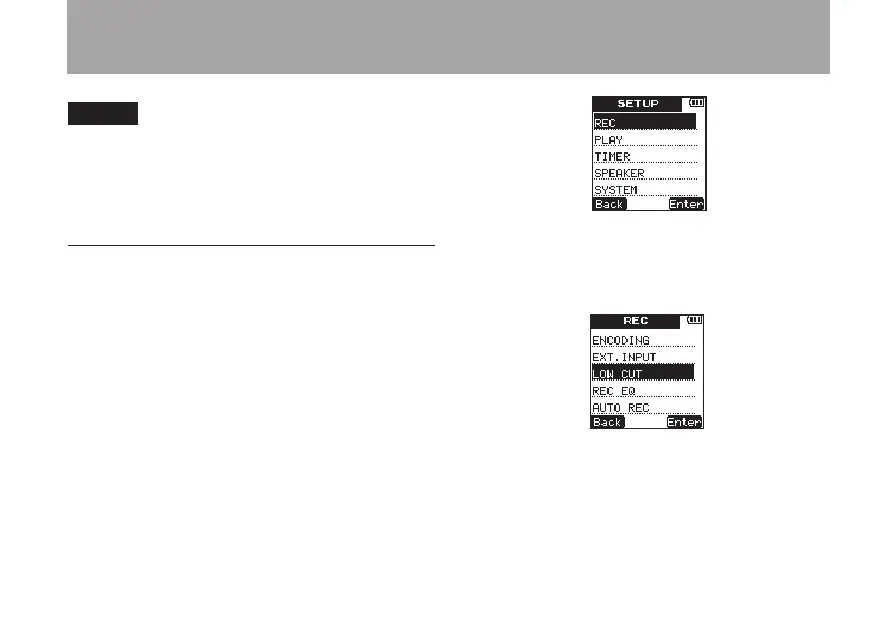
1 Press the SETUP key to open the
SETUP
menu screen.
2 Use the +/– keys to select the
REC
menu item.
3 Press the
¯
(
Enter
) key to open the
REC
menu screen.
4 Use the +/– keys to select the
LOW
CUT
item.
5 Press the
¯
(
Enter
) key to open the
LOW
CUT
setting screen.
4 – Recording



 To Next Page