Viewing unit, card and file information
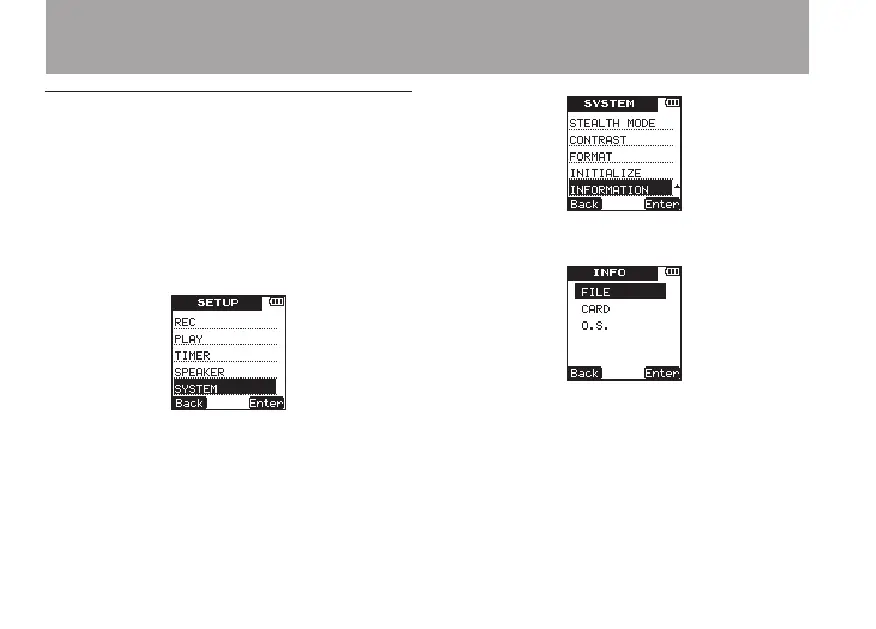
Use the following procedures to open the
INFORMATION
screen where you can view
various types of information.
1 Press the SETUP key to open the
SETUP
menu screen.
2 Use the +/– keys to select the
SYSTEM
menu
item.
3 Press the ¯ (
Enter
) key to open the
SYS-
TEM
menu screen.
4 Use the +/– keys to select
INFORMATION
.
5 Press the ¯ (
Enter
) key.
6 Use the +/– keys to select the desired item,
and press the ¯ (
Enter
) key.
FILE information page
•
This page shows information about the
audio le being played.
8 – Various Settings and Information Display



 To Next Page