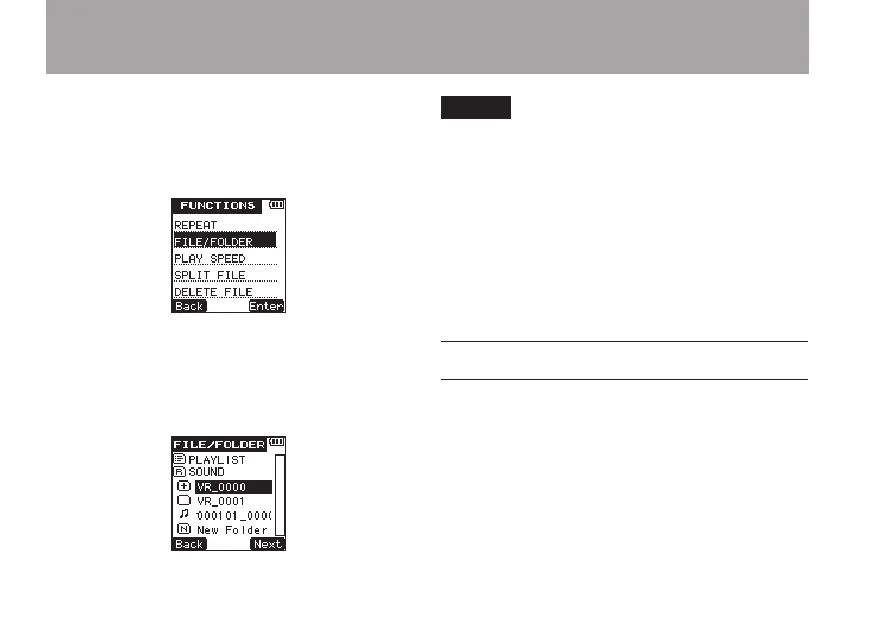
1 Press the FUNCTION key to open the
FUNC-
TIONS
menu screen.
2 Use the +/– keys to select the
FILE/FOLDER
menu item.
3 Press the
¯
(
Enter
) key to open the
FILE/
FOLDER
screen.
4 Use the +/– keys to select the folder that you
want to set as the playback area.
NOTE
For details about FILE/FOLDER screen operations, see
“5 – File and folder operations (FILE/FOLDER screen)”
on page 59.
5 Press the
¯
(
Next
) key to open the
selected folder and show a list of files inside
the folder. This action also sets the selected
folder as the playback area.
6 Press the HOME key to return to the Home
Screen.
Playlist
You can add les to the Playlist and set it as the
playback area.
Use the
PLAY
item in the
SETUP
menu to set
MODE
to
PLAYLIST
. This sets the unit to play the
les in the Playlist.
6 – Playback



 To Next Page