Inserting and removing microSD cards
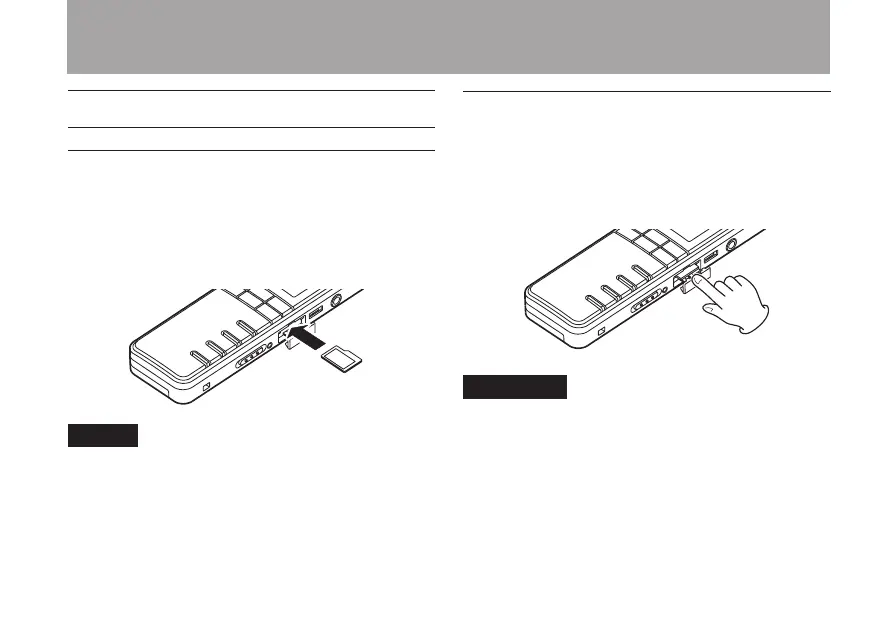
Inserting a card
1 Open the microSD card slot cover on the
right side panel of the unit.
2 Insert the microSD card in the direction of
the illustration until it clicks into place.
NOTE
When this unit is purchased new, a microSD card is
already inserted in the microSD card slot. You can
use this microSD card as it is for recording and play-
back. There is no need to reinsert it.
Ejecting a card
1 Open the microSD card slot cover.
2 Push the microSD card gently, and it will
come out of the unit slightly and can be
pulled out.
CAUTION
When connected with a computer by USB, do not •
remove the microSD card from the unit.
microSD cards that are compliant with microSD/•
SDHC standards can be used.
A list of microSD cards that have been verified •
for use with this unit can be found on the TEAC
website (http://www.TEAC.com/).
3 – Preparations



 To Next Page