8 After the pop-up confirmation message
disappears, press the HOME key to return to
the Home Screen.
CAUTION
The date and time setting is only retained for a few
minutes if there is no power supplied to the unit by
batteries or USB bus power. When using batteries,
we recommend that you replace them before they
are completely dead.
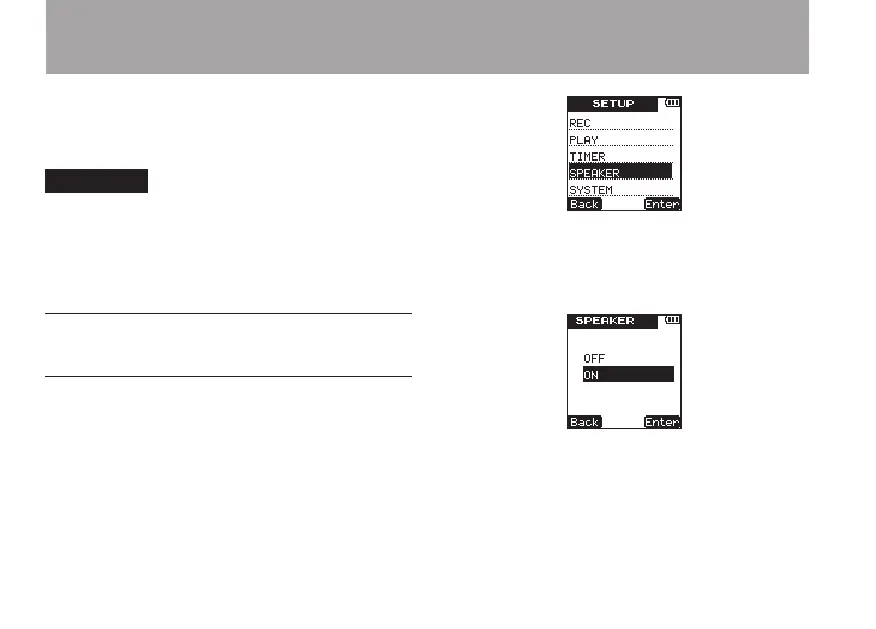
Using the built-in speaker to
monitor playback
To use this unit’s built-in speaker to listen to a
recording that is playing back, in the
SETUP
menu
set the
SPEAKER
setting to
ON
.
1 Press the SETUP key to open the
SETUP
screen.
2 Use the +/– keys to select the
SPEAKER
menu
item.
3 Press the ¯ (
Enter
) key to open the
SPEAKER
setting screen.
4 Use the +/– keys to set it to
ON
.
5 Press the ¯ (
Enter
) key to confirm the
setting and the following pop-up message
appears on the display briefly, and then the
SPEAKER
setting screen is shown again.
3 – Preparations



 To Next Page