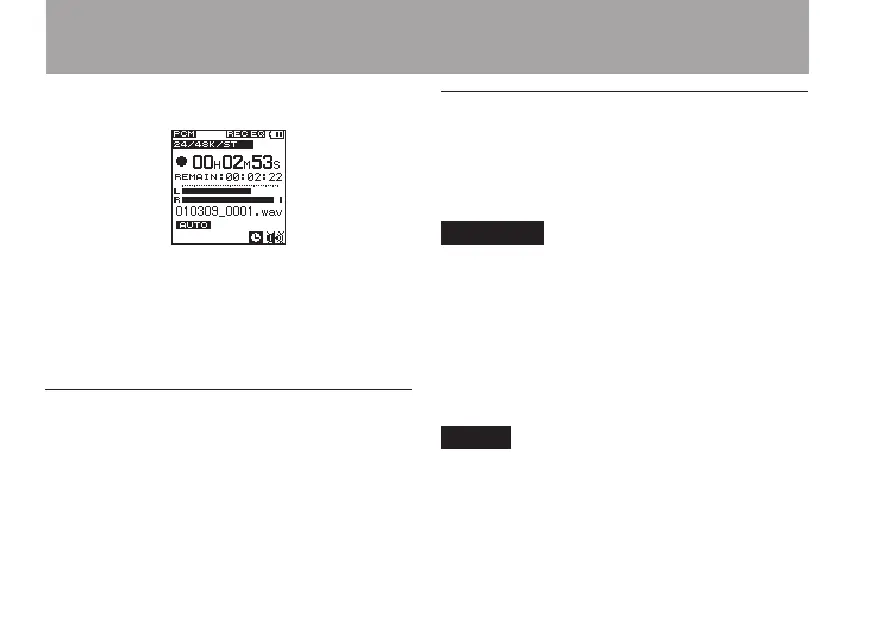
2 Press the REC key to start recording.
When recording starts, the REC indicator
lights, and the elapsed recording time and the
remaining recording time are shown on the
display.
3 Press the ª STOP key to end recording.
Starting a new file while continuing to
record
With this unit, the maximum recording le size
is 2 GB. If the le size reaches 2 GB while
recording, the unit automatically continues
recording in a new le and stops recording the
current le.
Manually starting a new file during
recording
You can manually create a new le during
recording at any time. Press the REC key during
recording create a new le and continue recording.
CAUTION
If the total number of folders and files would •
exceed 999, a new file cannot be created.
A new file cannot be created if the recording time •
is less than 2 seconds.
If the newly created file would have the same •
name as an existing file, the numerical suffix is
increased by one as many times as necessary until
a unique name is created.
NOTE
When a new file is created, the number at the •
end of the file name is increased by one.
Recording times are different for the same file •
size depending on the file format. In addition, if
4 – Recording



 To Next Page