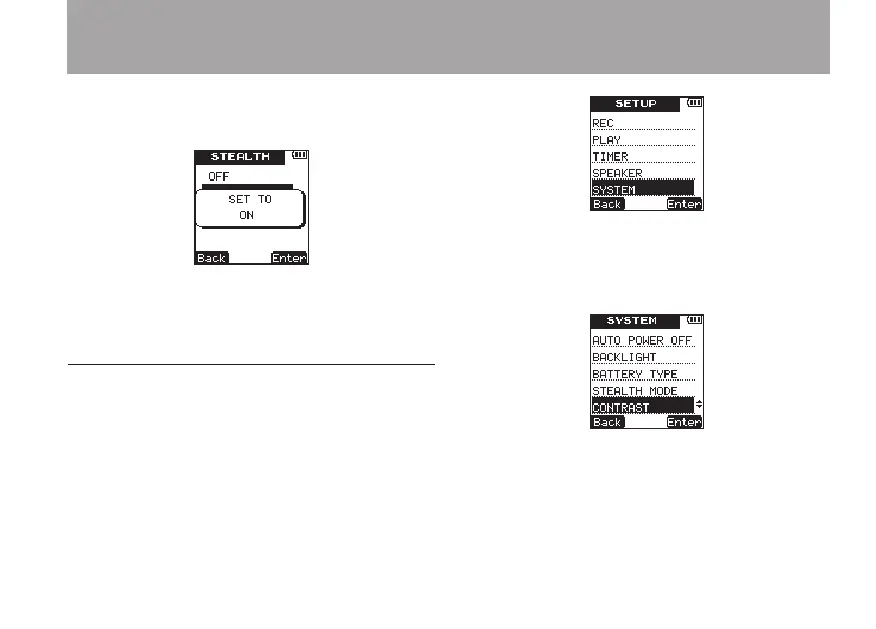
briefly, and then return to the
STEALTH
setting screen.
8 When you have finished making the setting,
press the HOME key to return to the Home
Screen.
Setting the contrast
Use the
CONTRAST
item to adjust the display
contrast.
1 Press the SETUP key to open the
SETUP
menu screen.
2 Use the +/– keys to select the
SYSTEM
menu
item.
3 Press the ¯ (
Enter
) key to open the
SYS-
TEM
menu screen.
4 Use the +/– keys to select
CONTRAST
.
5 Press the ¯ (
Enter
) key to open the
CON-
TRAST
setting screen.
6 Use the +/– keys to set the display contrast.
Options:
01
–
10
(default value:
5
)
8 – Various Settings and Information Display



 To Next Page