Splitting files
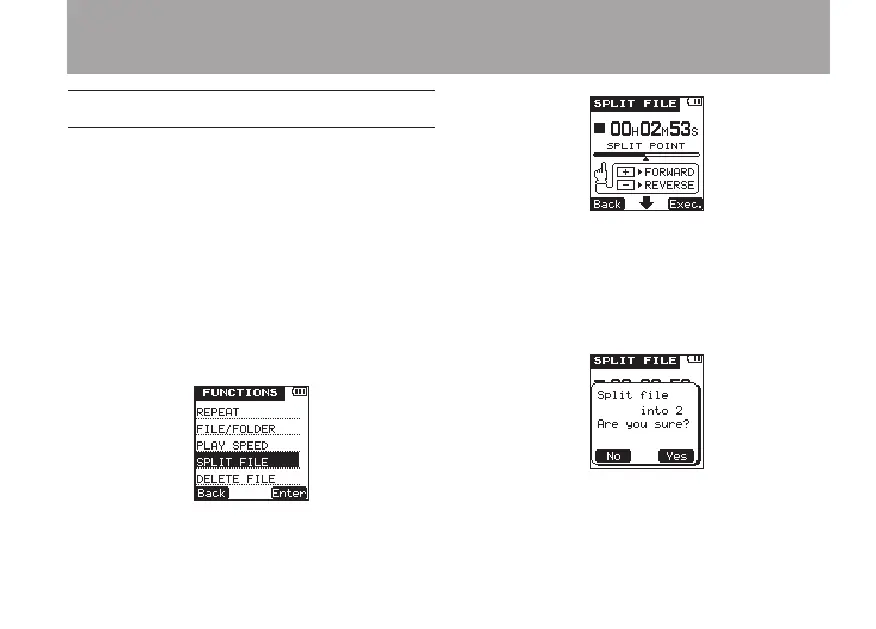
You can split a le into two les at any point.
1 Use the  and
¯
keys or the
FILE/
FOLDER
screen to select the file that you
want to split.
2 Play or search the file until you find the
point where you want to split it.
3 Press the FUNCTION key to open the
FUNC-
TIONS
menu screen.
4 Use the +/– keys to select the
SPLIT
FILE
menu item.
5 Press the
¯
(
Enter
) key to open the
SPLIT
FILE
screen.
6 Use the +/– keys to adjust the point where
the file is to be split.
7 After setting the split point, press the
¯
(
Exec.
) key to open the following pop-up
message.
8 Press the
¯
(
Yes
) key to split the file and
return to the Home Screen.
5 – File and folder operations (FILE/FOLDER screen)



 To Next Page