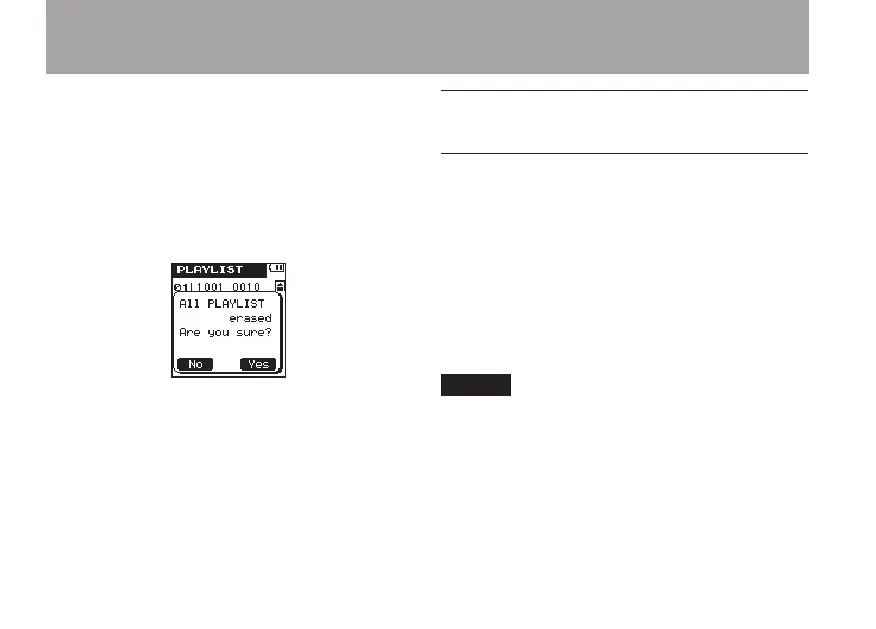
DELETE
ALL
Use this to remove all files from the Playlist.
Files that are removed from the Playlist are not
erased from the microSD card.
After pressing the
•
¯
key, open a pop-up
message to confirm the deletion of all the
files from the Play List.
Press the
•
¯
(
Yes
) key to delete all the
files from the Play List and return to the
PLAYLIST
screen. Press the  (
No
)
key to cancel the deletion and return to the
PLAYLIST
screen.
10 When you are finished editing, press the
HOME key to return to the Home Screen.
Selecting a file for playback
(skipping)
On the Home Screen, press the  and ¯
keys to select the le that you want to play.
When in the middle of a le, press the  key
to return to the beginning of the le. When at the
beginning of a le, press the  key to skip to
the beginning of the previous le.
When at the beginning or in the middle of a le,
press the ¯ key to skip to the beginning of the
next le.
NOTE
Files must be in the playback area to be played •
back.
Information (file name, etc.) about the file being •
played back and its file number is shown on the
display.
When stopped at the beginning of a file, the •
ª icon is shown on the display. When a file is
paused, the π icon is shown.
6 – Playback



 To Next Page