Folder operations
You can select the folder for recording and playing
les and create new folders.
Selecting a folder for recording and
playback
Select the desired folder on the
FILE/FOLDER
screen, and press the ¯ (
Next
) key to open the
selected folder and show a list of the les in the
folder.
Opening a folder also sets it as the folder for
recording and playback.
When you are done selecting the folder, press the
HOME key to return to the Home Screen.
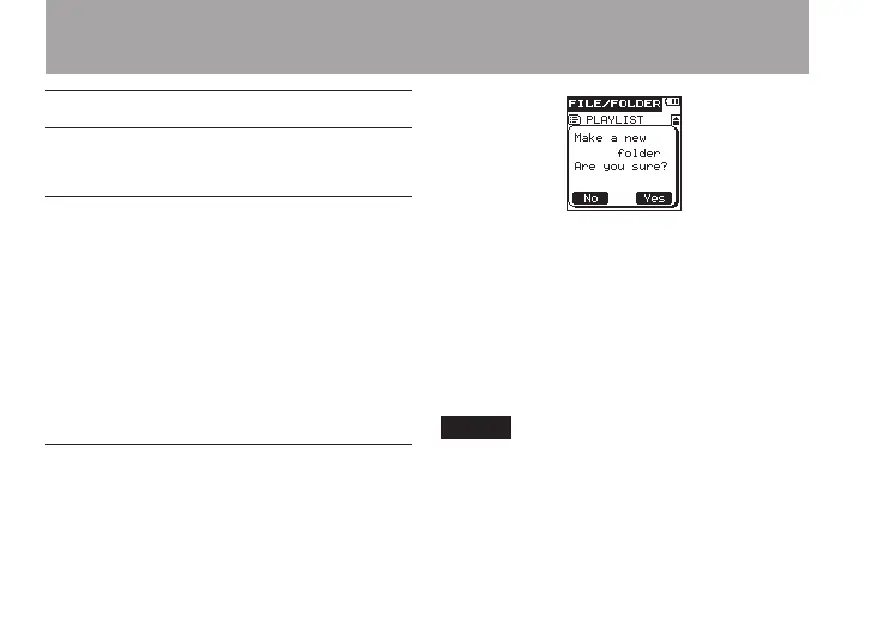
Creating a new folder
Select
New Folder
on the
FILE/FOLDER
screen, and press the ¯ (
Next
) key to open a
pop-up message where you can conrm whether
you want to create a new folder.
Press the ¯ (
Yes
) key to create a new folder
and open it. Press the  (
No
) key to cancel
creation of a new folder and return to the
FILE/
FOLDER
screen.
When a new folder is created, it is automatically
set as the recording/playback folder.
After nishing the creation of a new folder, press
the HOME key to return to the Home Screen.
NOTE
A maximum of two sub-levels of folders can be •
created.
If you select PLAYLIST as the destination for •
saving new recorded files, they are saved in the
folder that contains the currently selected file.
5 – File and folder operations (FILE/FOLDER screen)



 To Next Page