TIP
You can repeat playback of a single file by setting
the A point at its beginning and the B point at its
end. If A and B points have not been set, by default,
the A point is set as the start of the file and the B
point is set as the end of the file. As a result, an
entire file can be repeated by turning the repeat
function ON without setting A and B points in
advance.
Enhancing sound quality during
playback
This unit has a lter that can enhance voice
frequencies, reduce noise, and reduce high or low
frequencies during playback. Use this feature
according to the recorded material and playback
environment.
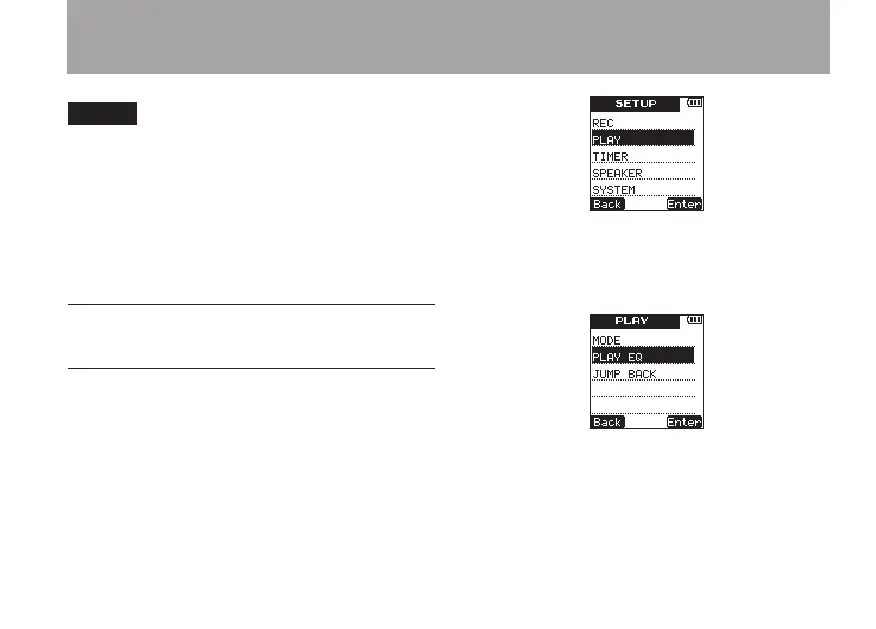
1 Press the SETUP key to open the
SETUP
menu screen.
2 Use the +/– keys to select the
PLAY
item.
3 Press the
¯
(
Enter
) key to open the
PLAY
menu screen.
4 Use the +/– keys to select the
PLAY
EQ
item.
5 Press the
¯
(
Enter
) key to open the
PLAY
EQ
setting screen.
6 – Playback



 To Next Page