Other settings
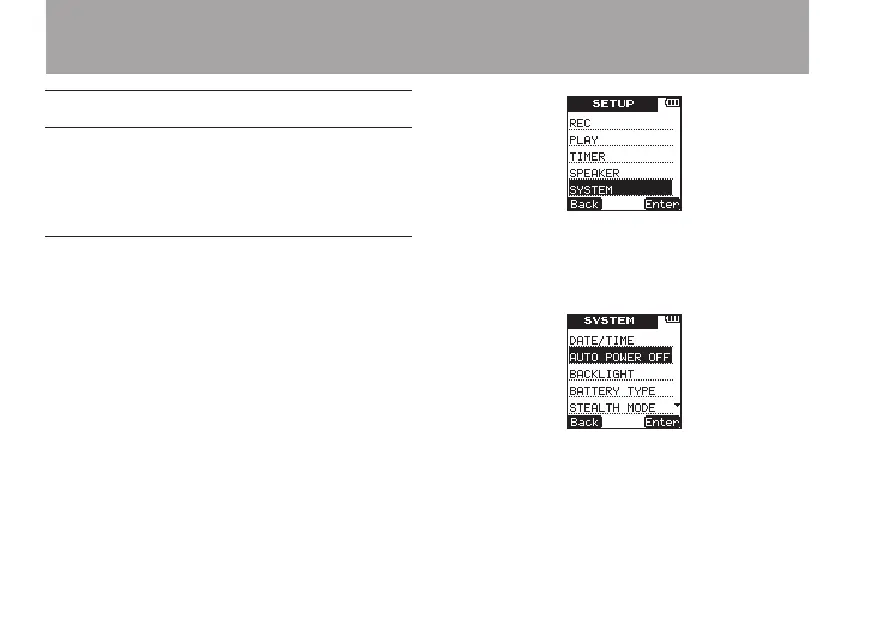
Use the items in the
SYSTEM
menu to make
various settings to suit the environment and
conditions in which the unit is to be used, as well
as to format microSD cards.
Using the auto power off function
Use the
AUTO
POWER
OFF
setting to set the
amount of time since being last used until the
unit’s power automatically turns OFF when
operating on batteries.
1 Press the SETUP key to open the
SETUP
menu screen.
2 Use the +/– keys to select the
SYSTEM
menu
item.
3 Press the ¯ (
Enter
) key to open the
SYS-
TEM
menu screen.
4 Use the +/– keys to select
AUTO
POWER
OFF
.
5 Press the ¯ (
Enter
) key to open the
AUTO
OFF
setting screen.
6 Use the +/– keys to set the time.
Options: OFF (default value—auto power off
disabled), 3min, 5min, 10min, 30min
8 – Various Settings and Information Display



 To Next Page