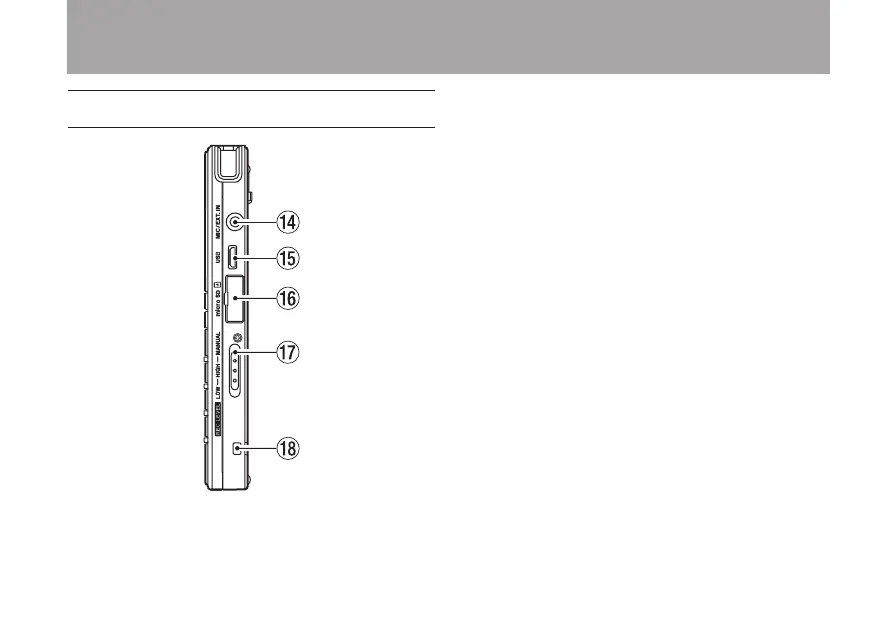
Right side panel
r MIC/EXT. IN jack
This stereo mini-jack is an external
microphone/device input jack that can provide
plug-in power to mics that need it.
t Micro USB port
Use the included Micro USB cable to connect
this USB port to a computer.
y microSD card slot
Insert a microSD card here.
u REC LEVEL switch
Use to set the recording level. When set to
LOW or HIGH, the auto gain control function
is activated, and the unit’s recording level
is adjusted automatically. When set to
MANUAL, use the ¯ and  keys on the
top panel to set the recording level manually.
iStrap holder
Attach a strap here.
2 – Names and functions of parts



 To Next Page