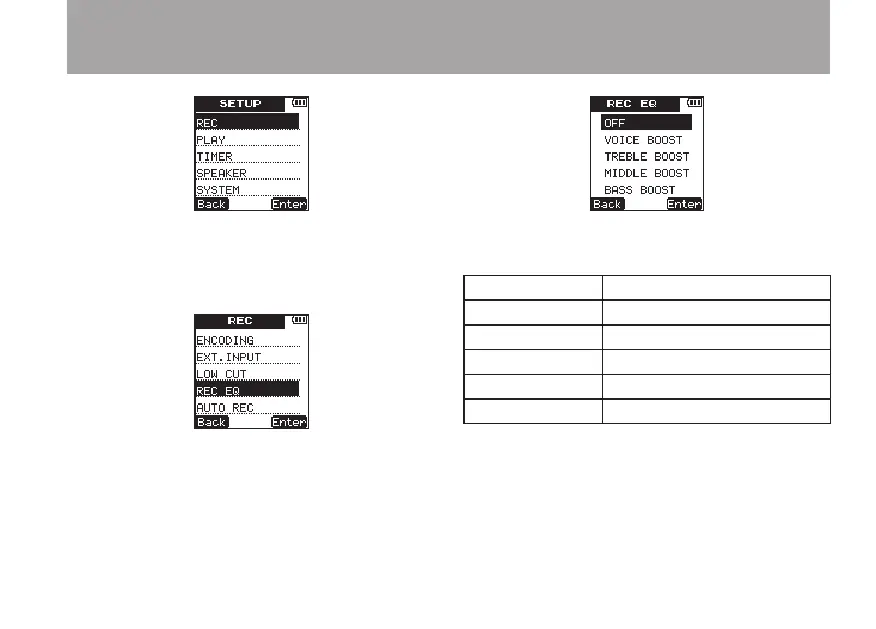
3 Press the
¯
(
Enter
) key to open the
REC
menu screen.
4 Use the +/– keys to select the
REC
EQ
item.
5 Press the
¯
(
Enter
) key to open the
REC
EQ
setting screen.
6 Use the +/– keys to select one of the following.
(The default value is
OFF
.)
Display Sound quality enhancement
OFF
None
VOICE
BOOST
Voice enhancement
TREBLE
BOOST
Emphasizes high frequencies
MIDDLE
BOOST
Middle frequency enhancement
BASS
BOOST
Emphasizes low frequencies
7 Press the
¯
(
Enter
) key to confirm the
setting and show a pop-up with the setting
briefly, and then return to the
REC
EQ
menu
screen.
4 – Recording



 To Next Page